23
Muting the Beep Tones
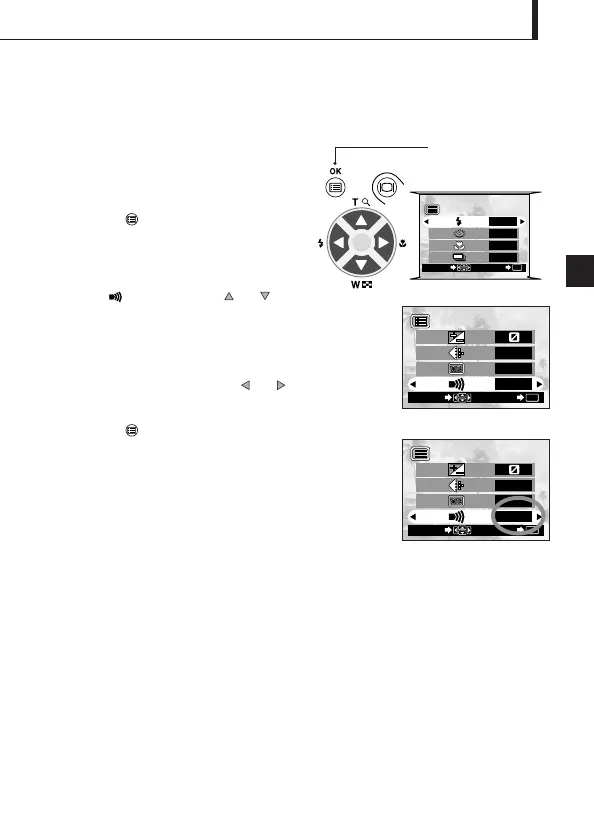
Operating Procedure
1. Check that the lens barrier is open.
2. Press the OK/menu button.
The monitor shows the shooting mode
menu 1/3.
3. Select by pressing the or
arrow pad key.
4. Select “OFF” by pressing the or arrow pad key.
5. Press the OK/menu button.
The camera returns to the shooting mode.
6. Now you can start shooting with beep tones muted.
Images can be shot with beep tones muted.
The beep tones generated by the camera may be annoying when shooting images at a
wedding, theater or when photographing animals. You can mute the beep tones in such cases.
Arrow pad
OK/menu button
Shooting mode menu 1/3 screen











 To Next Page