8
Loading the Battery
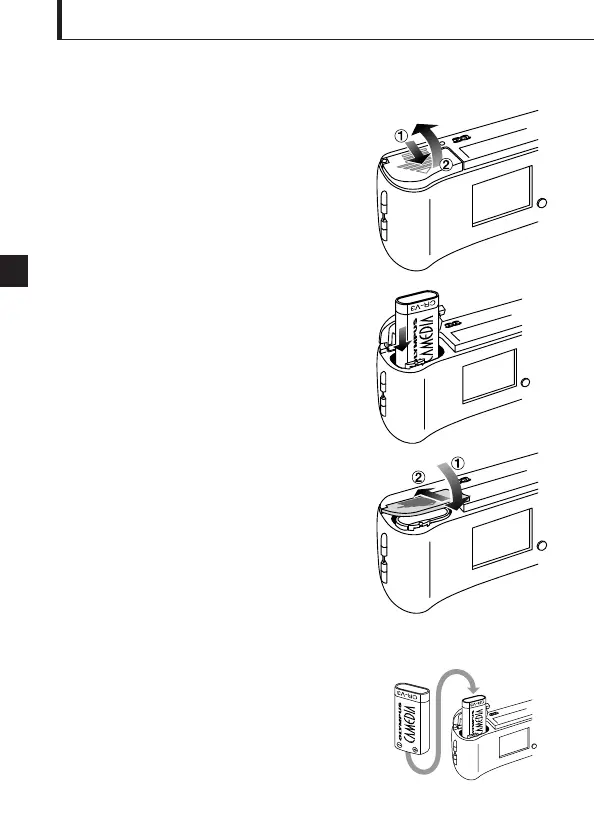
1. Make sure the lens barrier is closed and nothing is
displayed on the monitor.
2. Slide the battery compartment cover in the
direction of the arrow , and lift the cover
in the direction of the arrow .
3. Insert the battery in the direction shown in the
figure.
4. Close the battery compartment cover in the
direction of the arrow , and press the cover in
the direction of the arrow until it clicks.
This camera can be powered by a single long-life
lithium battery pack.
The CR-V3 lithium battery pack features a long service
life which provides convenience when traveling. Insert
the battery pack correctly in the direction shown in the
illustration on the right.









 To Next Page