3
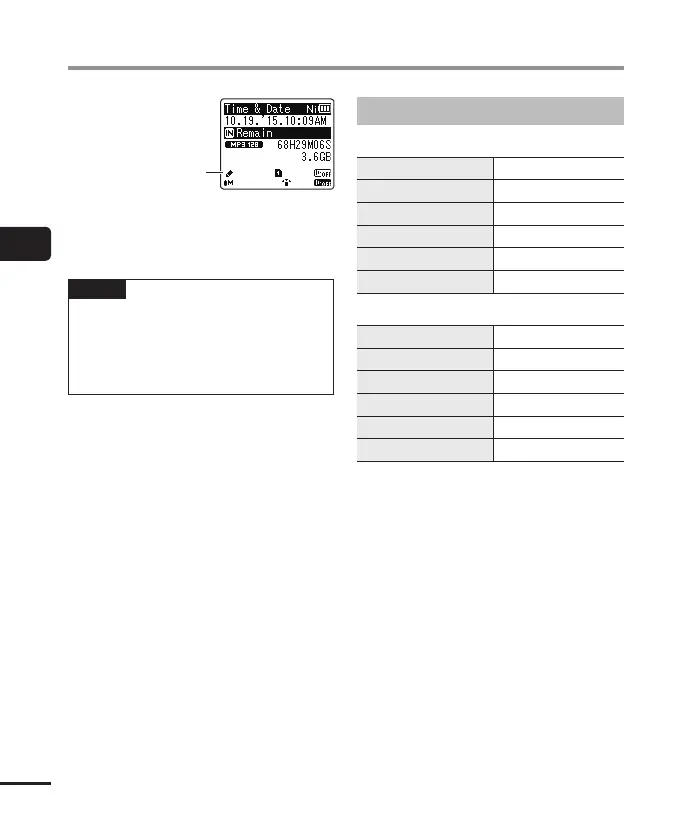
Selecting the automatic playback operation [Play Scene]
40
EN
Selecting the automatic playback operation [Play Scene]
Play Scene
• Press and hold the STOP (4) button
when the recorder is stopped to check
the setting indicators.
NOTE
• Playback menu settings cannot be
changed when a playback scene
selection has been made. To use these
functions, you must select [Off] for the
[Play Scene ] setting.
Preregistered [Play Scene] settings
[
Transcription
]
[
STOP (4)
] [
Auto Back (3 sec)
]
[
9 (CUE)
] [
x3.5 Play Back
]
[
0 (REV)
] [
Reviewing
]
[
9 (SKIP)
] [
10 sec. Skip
]
[
0 (SKIP)
] [
3 sec. Skip
]
[
Voice Balancer
] [
On
]
[
Language study
]
[
STOP (4)
] [
Stop
]
[
9 (CUE)
] [
x2.5 Play Back
]
[
0 (REV)
] [
Reviewing
]
[
9 (SKIP)
] [
10 sec. Skip
]
[
0 (SKIP)
] [
3 sec. Skip
]
[
Voice Balancer
] [
On
]



 To Next Page