EasyManua.ls Logo

Olympus E-PL6 - Page 156

Olympus E-PL6
179 pages
Print Icon
To Next Page IconTo Next Page
To Previous Page IconTo Previous Page
Loading...
;
LI
·
$i
:
ng
...
ilct
.
(i
.
l,
.
~
.
e
~
r,.s
,
.....
"'
1
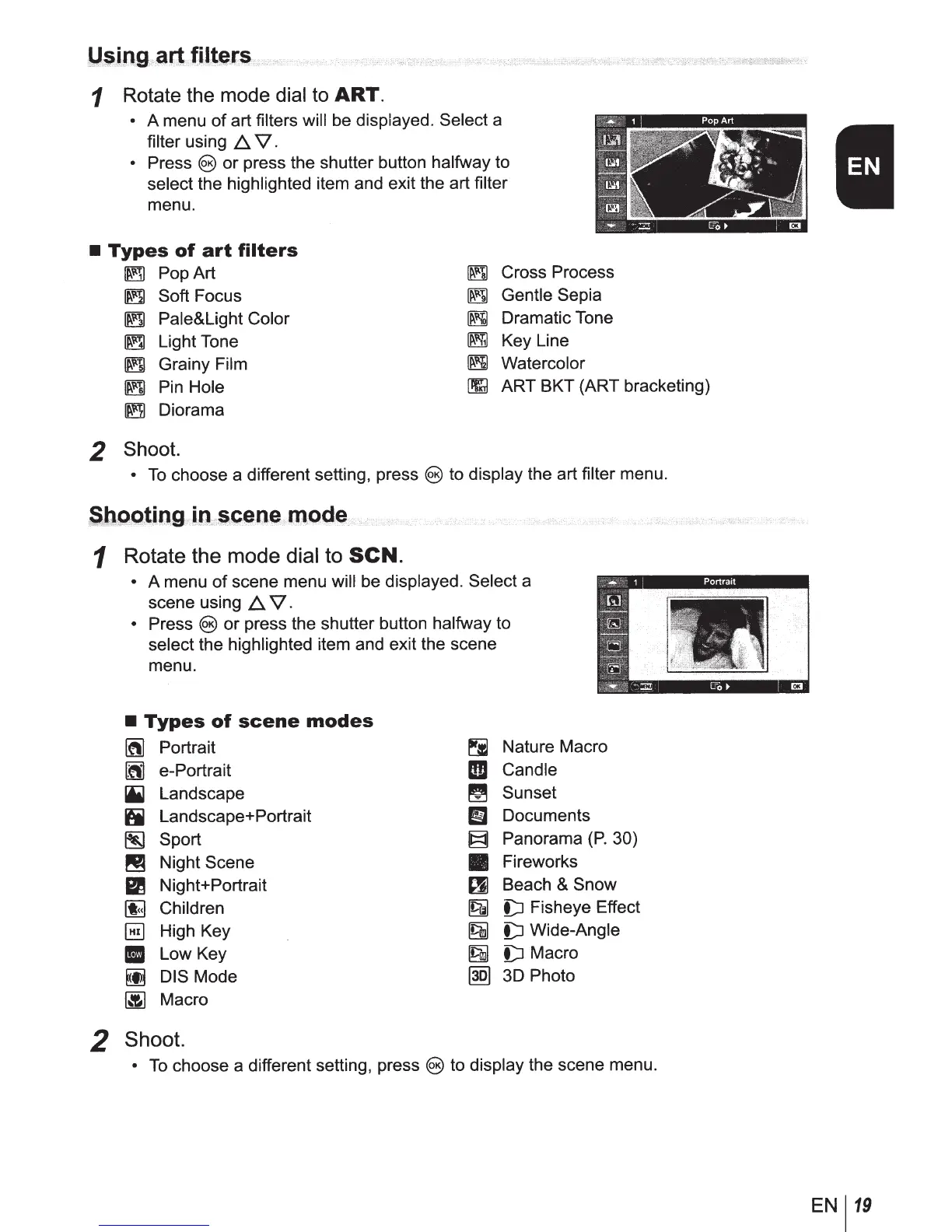
Rotate the mode dial
to
ART.
A menu
of
art
filters will be
displayed. Select
a
filter
using
1:::,.
V.
Press
@)
or press the shutter button
halfway
to
select
the
highlighted
item and exit the art
filter
menu.
Types
of
art
filters
~
PopArt
~
Cross Process
~
Gentle
Sepia
~
Dramatic Tone
~
Key Line
~
Soft Focus
~
Pale&Light Color
~
Light Tone
~
Grainy Film
~
Pin
Hole
~
Diorama
~
Watercolor
~
ART BKT (ART bracketing)
2 Shoot.
To
choose a different setting, press
@)
to
display the art
filter menu.
~bggting
.(
lD
:\-
i«;~
.
oe
}
ano
.
de
..
y
..
i>
1
Rotate the
mode
dial to
SCN.
2
A menu
of
scene menu
will
be
displayed. Select
a
scene using
1:::,.
V.
Press
@)
or press the shutter button
halfway
to
select
the
highlighted
item and exit the scene
menu.
Types
of
scene
modes
~
Portrait
~
Nature Macro
~
e-Portrait
rm
Candle
ii1
Landscape
~
Sunset
iii
Landscape+ Portrait
Em
Documents
~
Sport
~
Panorama
(P.
30)
~
Night Scene
Fireworks
Em
Night+ Portrait
~
Beach & Snow
[I;]
Children
~
D
Fisheye Effect
§]
High Key
19m
D
Wide-Angle
II
Low Key
~
D Macro
~
DIS Mode
@Q)
3D Photo
~
Macro
Shoot.
To
choose a different setting, press
@)
to
display
the scene menu.
EN
119

Table of Contents

Other manuals for Olympus E-PL6

Related product manuals