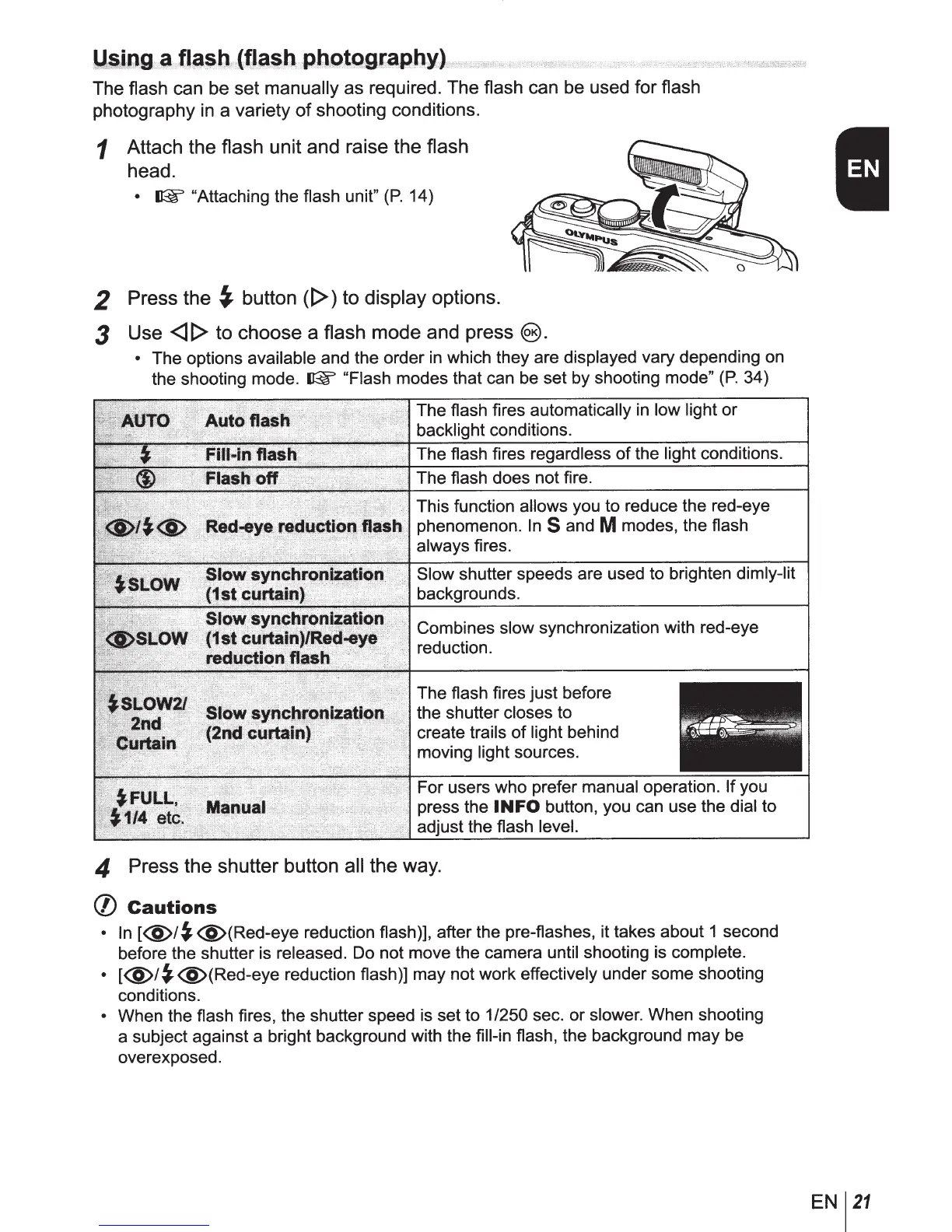
The flash can be set
manually
as required. The flash can be used for flash
photography
in
a variety
of
shooting conditions.
1
Attach the flash unit and raise the flash
head.
•
~
"Attaching the flash unit"
(P.
14)
2
Press the
~
button
([>)
to
display
options.
3
Use
<ll>
to choose a flash
mode and press
@).
•
The options available and the order
in
which they are displayed vary depending
on
the shooting mode.
~
"Flash
modes that can be set by shooting mode"
(P.
34)
The flash fires
automatically
in
low light or
backlight conditions.
The flash fires regardless
of
the
light
conditions.
The flash does not fire.
This function
allows
you to reduce the red-eye
phenomenon.
InS
and
M
modes, the flash
always
fires.
Slow
shutter speeds are used to brighten
dimly-lit
backgrounds.
Combines slow synchronization with red-eye
reduction.
The flash fires just before
the shutter
closes to
create trails
of
light behind
moving
light
sources.
For users who prefer
manual
operation. If
you
press the
INFO
button, you can use the
dial to
adjust the flash
level.
4
Press the shutter button
all
the way.
(/)
Cautions
•
In
[<§>/~<§)(Red-eye
reduction flash)], after the pre-flashes, it takes about 1 second
before the shutter is released. Do not move the camera until
shooting is complete.
•
[<§>/~<§}(Red-eye
reduction flash)] may not work effectively under some shooting
conditions.
•
When the flash fires, the shutter speed is set to
1/250
sec. or
slower.
When shooting
a subject against a bright background with the fill-in
flash, the background may be
overexposed.
EN
21



 To Next Page