261
EN
Usi.nglive control
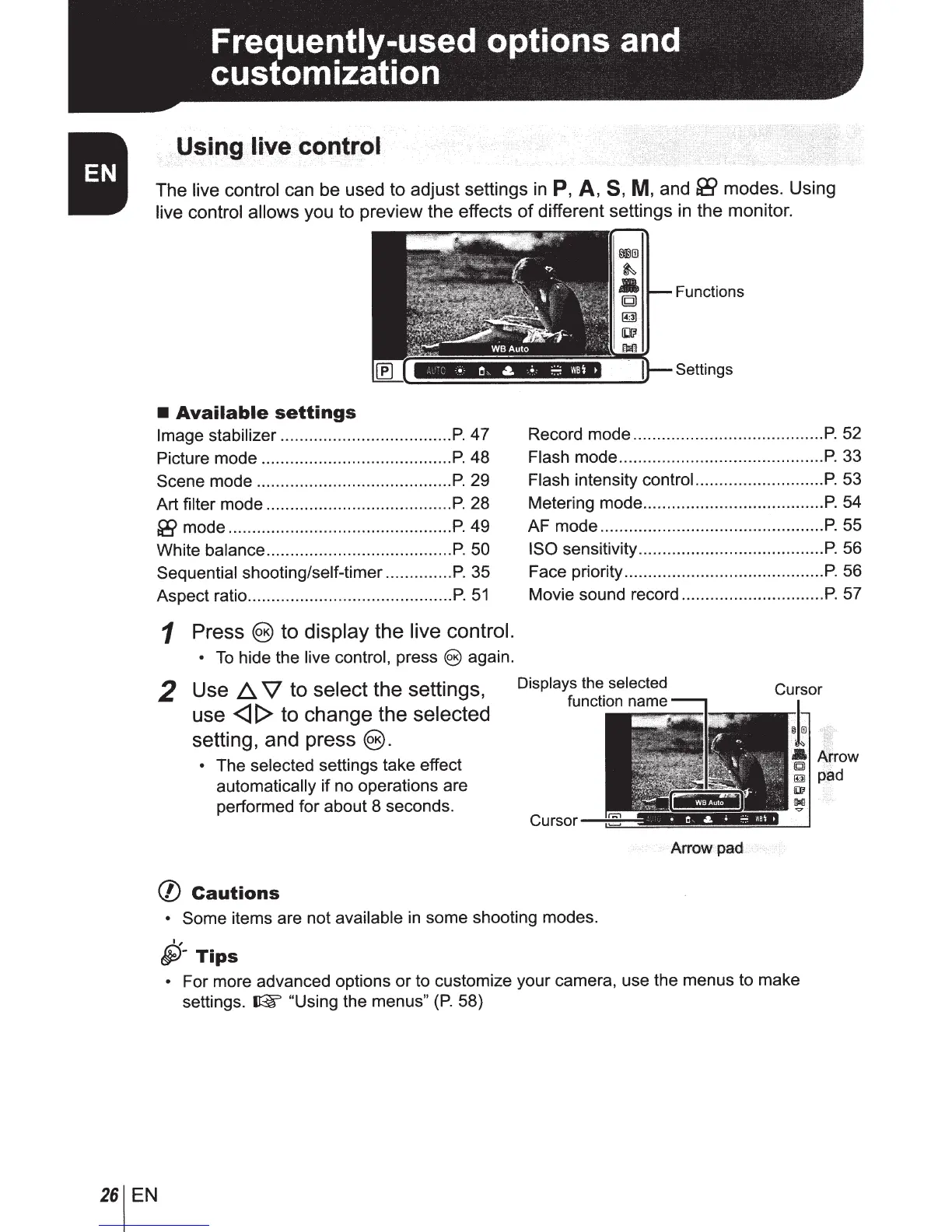
The
live control
can be used to adjust settings
in
P,
A,
S,
M,
and
&5>
modes. Using
live control allows you to preview the effects of different settings
in
the monitor.
•
Available
settings
Image
stabilizer
....................................
P.
47
Picture
mode
........................................
P.
48
Scene
mode
.........................................
P.
29
Art
filter
mode
.......................................
P.
28
[i!f
mode
...............................................
P.
49
White
balance
.......................................
P.
50
Sequential
shooting/self-timer
..............
P.
35
Aspect
ratio ...........................................
P.
51
1 Press
@)
to display the live control.
• To hide
the
live control,
press
@)
again.
2
Use
~
V
to select the settings,
use
<l
[> to change the selected
setting, and press@).
•
The
selected settings
take
effect
automatically
if
no
operations
are
performed
for
about
8
seconds.
(/)
Cautions
Functions
Settings
Record
mode
........................................
P.
52
Flash
mode
...........................................
P.
33
Flash
intensity
controi
..
................
..
.......
P.
53
Metering
mode
......................................
P.
54
AF
mode
...............................................
P.
55
ISO
sensitivity .......................................
P.
56
Face
priority ..........................................
P.
56
Movie
sound
record ..............................
P.
57
Cursor
Arrow
pad
•
Some
items are
not
available
in
some
shooting
modes.
I,
§)-Tips
•
For
more
advanced
options
or
to
customize
your
camera,
use
the
menus
to
make
settings.
~
"Using
the
menus"
(P.
58)



 To Next Page