41
EN
Turning on the Power
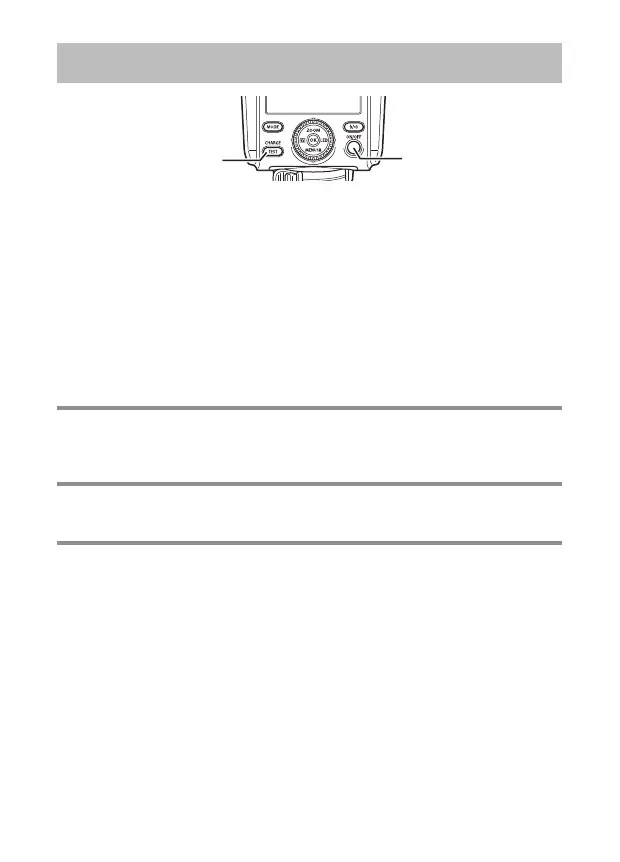
ON/OFF button
CHARGE/TEST
button
1
Press the ON/OFF button.
• The CHARGE/TEST button will light up in orange, and the control panel will
turn on.
x
If the CHARGE/TEST button does not light up after the following length of time,
you should replace the batteries soon. (P. 39)
NiMH batteries: 10 seconds
Alkaline dry-cell batteries: 30 seconds
x
If the q mark appears in the center of the control panel, the batteries are
running very low. Replace the batteries as soon as possible.
Firing a test fl ash Firing a test fl ash
To fi re a test fl ash, press the CHARGE/TEST button while the button is lit up in
orange.
Turning off the powerTurning off the power
Press the ON/OFF button.
Sleep mode/Automatic power offSleep mode/Automatic power off
• With some cameras, the fl ash will automatically enter the sleep mode when
the camera enters the sleep mode.
• If approximately 60 minutes elapse with no operations, the power will turn off
automatically. Press the ON/OFF button when you want to use the fl ash again.


 To Next Page