42
EN
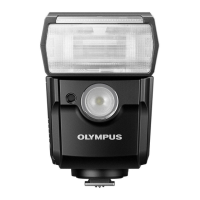
Shooting with the Flash
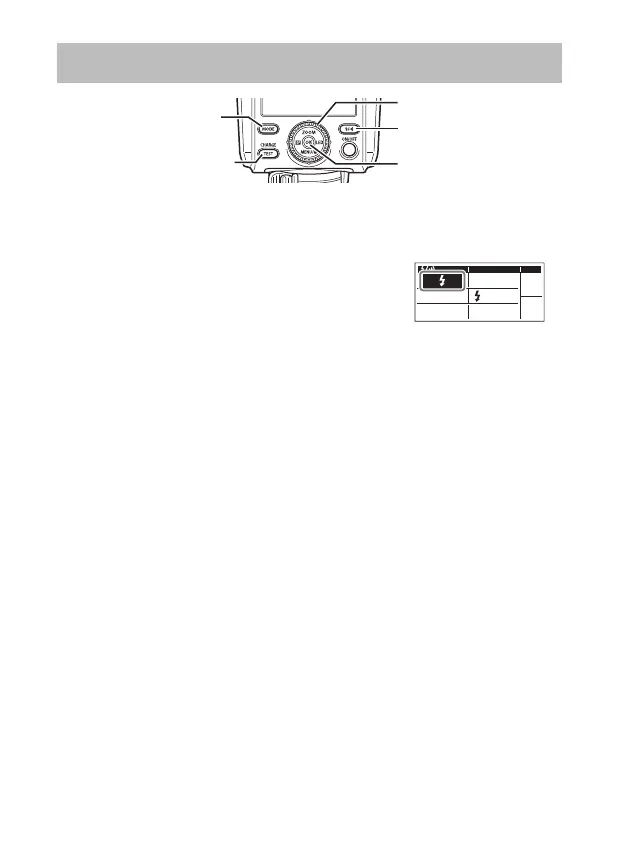
#/l button
OK button
Dial
CHARGE/TEST
button
MODE button
1
Set a fl ash mode on the camera.
• Refer to the camera manual for details.
2
Press the #/l button. Then, turn the dial to
select the # (fl ash) mode. Press the OK button
to confi rm.
• The CHARGE/TEST button will light up in orange.
RCV
CMD
X-RCV
CMD
3
Press the MODE button. Then, turn the dial to select a fl ash control
mode and adjust the settings.
• For details, refer to the explanations of the fl ash control modes (P. 43 to
46).
4
Press the shutter button halfway down.
• If you are using the TTL mode, make sure that the subject is within the value
of RANGE (fl ash control range).
• If you are using the M mode, make sure that the subject is within the value of
DISTANCE (optimal shooting distance).
5
Press the shutter button all the way down to take a picture.
x
When you fi re the fl ash repeatedly, the area around the fl ash window becomes
hot. If the internal temperature of the fl ash rises excessively, r (temperature
warning) will appear and the fl ash will not fi re for a certain period of time. Limit
continuous fi ring to approximately 40 times (when fi ring at full power). After fi ring,
avoid using the fl ash for at least 10 minutes.
x
Depending on the lens and hood, vignetting may occur. (The shadow of the lens
or hood may appear on the subject.)


 To Next Page