2
Inputting a title
There are two methods shown below that can be used to input a title.
●
Input using the software keyboard
●
Input by selecting a preset title
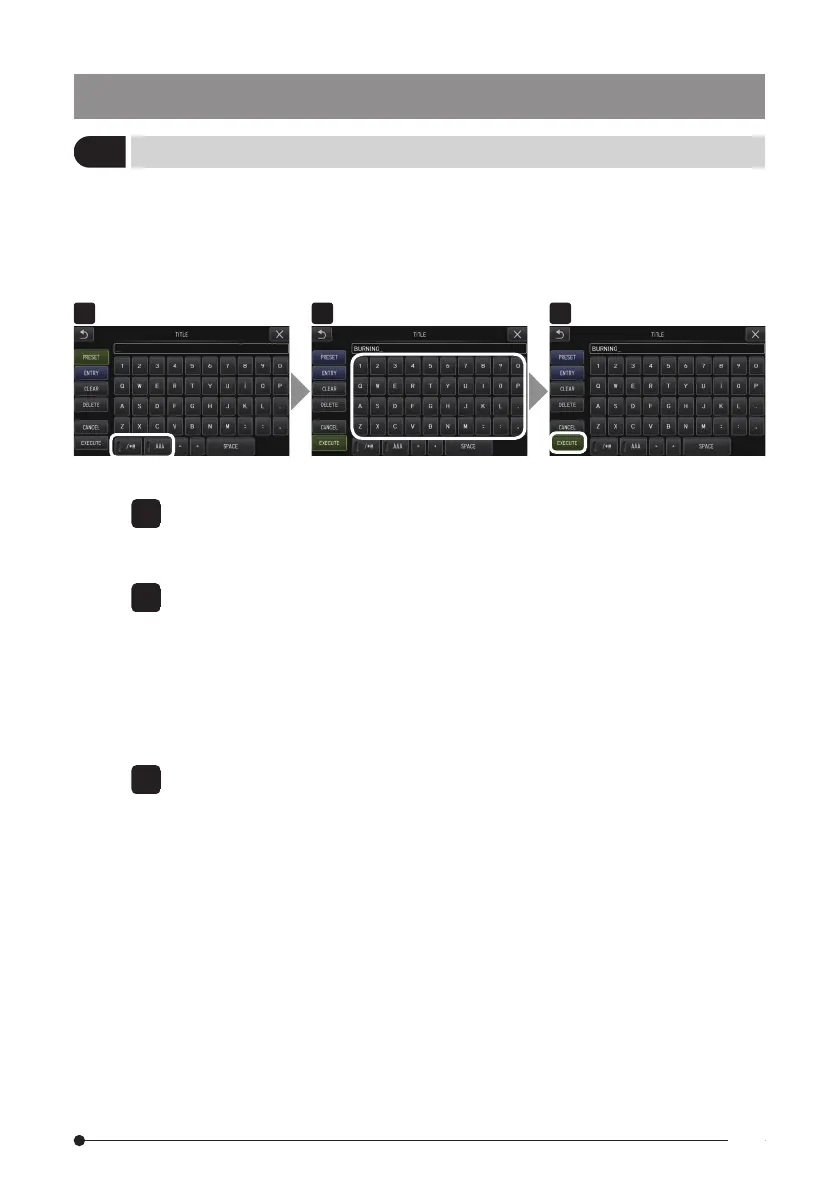
■ Input using the software keyboard
1 Select the input mode.
Select “/*@” or “ÀÁ”.
2 Select the text buttons you want.
● To delete texts
●
To delete a single text, move the cursor to it and select [DELETE].
●
To delete all input texts, select [CLEAR].
● To input a space
Move the cursor to the location where you want to input the space, select [SPACE].
3 Select [EXECUTE].
The title you input is displayed on the live/freeze screen.
IPLEX G Lite
59



 To Next Page