24
Chapter 2 Nomenclature and Functions
VIDEO SYSTEM OTV-SI
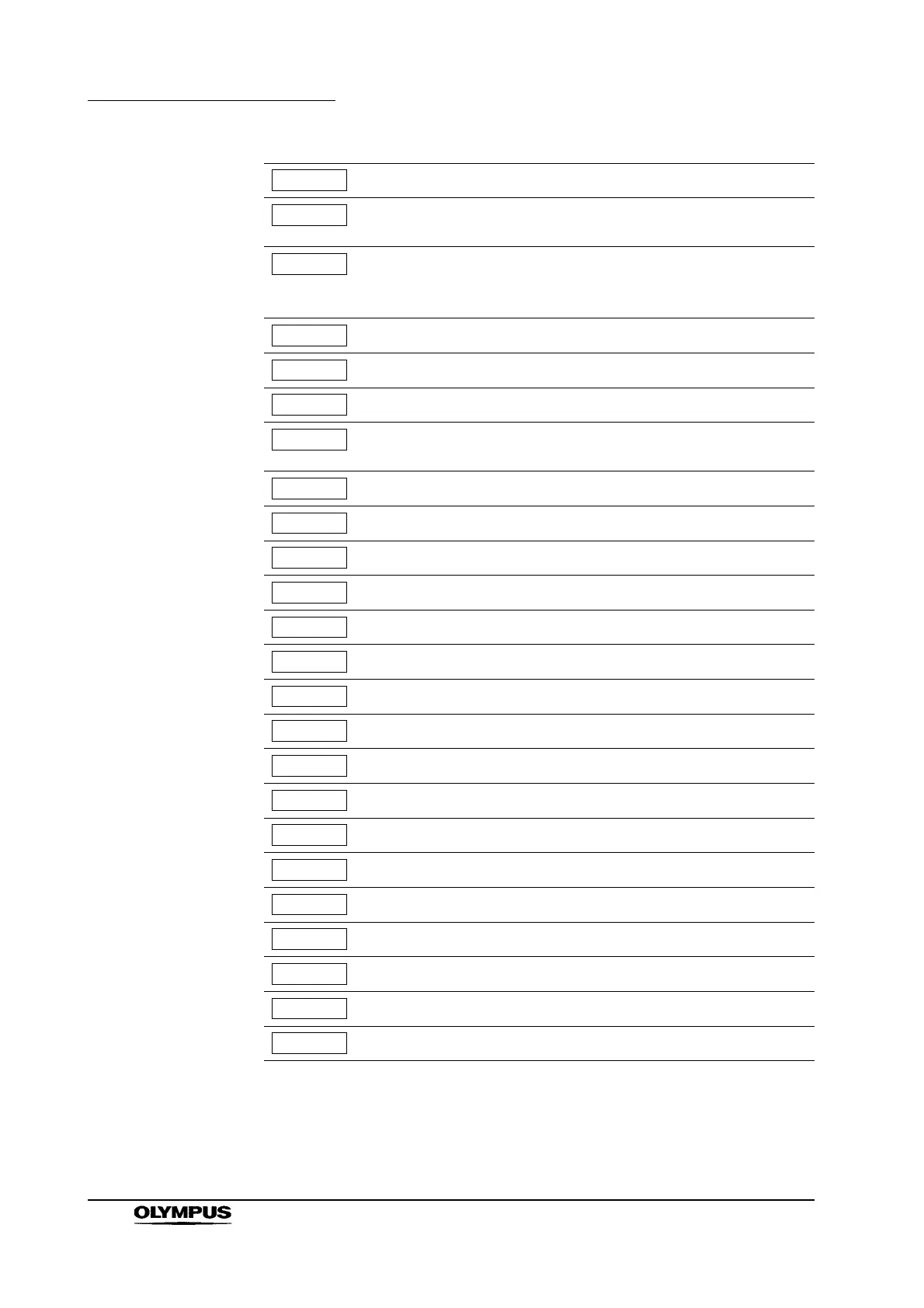
Display the previous menu.
Display the menu bar to save the user setup of the video
system or to load the default or saved user setup.
This number refers to the default or user setup of the video
system. Select a number to save or load default or user setup.
The numbers 0 – 4 are available.
Save the user setup of the video system.
Load the default or saved user setup.
Display the menu for function setting.
Display the menu bar of the remote control switch
assignments.
Select the FIELD mode of a freeze image.
Select the FRAME mode of a freeze image.
Save a remote control switch setting.
Display the hue adjusting menu.
Display the chroma adjusting menu.
Display the red adjusting menu.
Display the blue adjusting menu.
Display the date correcting menu.
Display the time correcting menu.
Cycle the date display type through YMD, MDY and DMY.
Select a year (02 – 20).
Select a month (1 – 12).
Select the day of the month (1 – 31).
Select the hour of the day (0 – 23).
Select the minute (00 – 59).
Select the second (00 – 59).
Save the date and time.



 To Next Page