54
Chapter 5 Operation
VIDEO SYSTEM OTV-SI
5.2 Basic menu operation
Various functions can be set up or adjusted by navigating through the menu
using the remote control switches or the keyboard (optional).
To navigate through the menu using the remote control
switches, the menu execution function and the menu
selection functions must be assigned to the switches (see
Section 5.9, “Remote control switches”). If the switch
assignment is not performed, the menu cannot be navigated
using the remote control switches.
• Camera heads OTV-S7H-1D-F08E/L08E/D-L08E are not
equipped with remote control switches. When using these
camera heads, navigate through the menus using the
keyboard.
• If the combination or the setting is incorrect, the menu screen
may not be displayed.
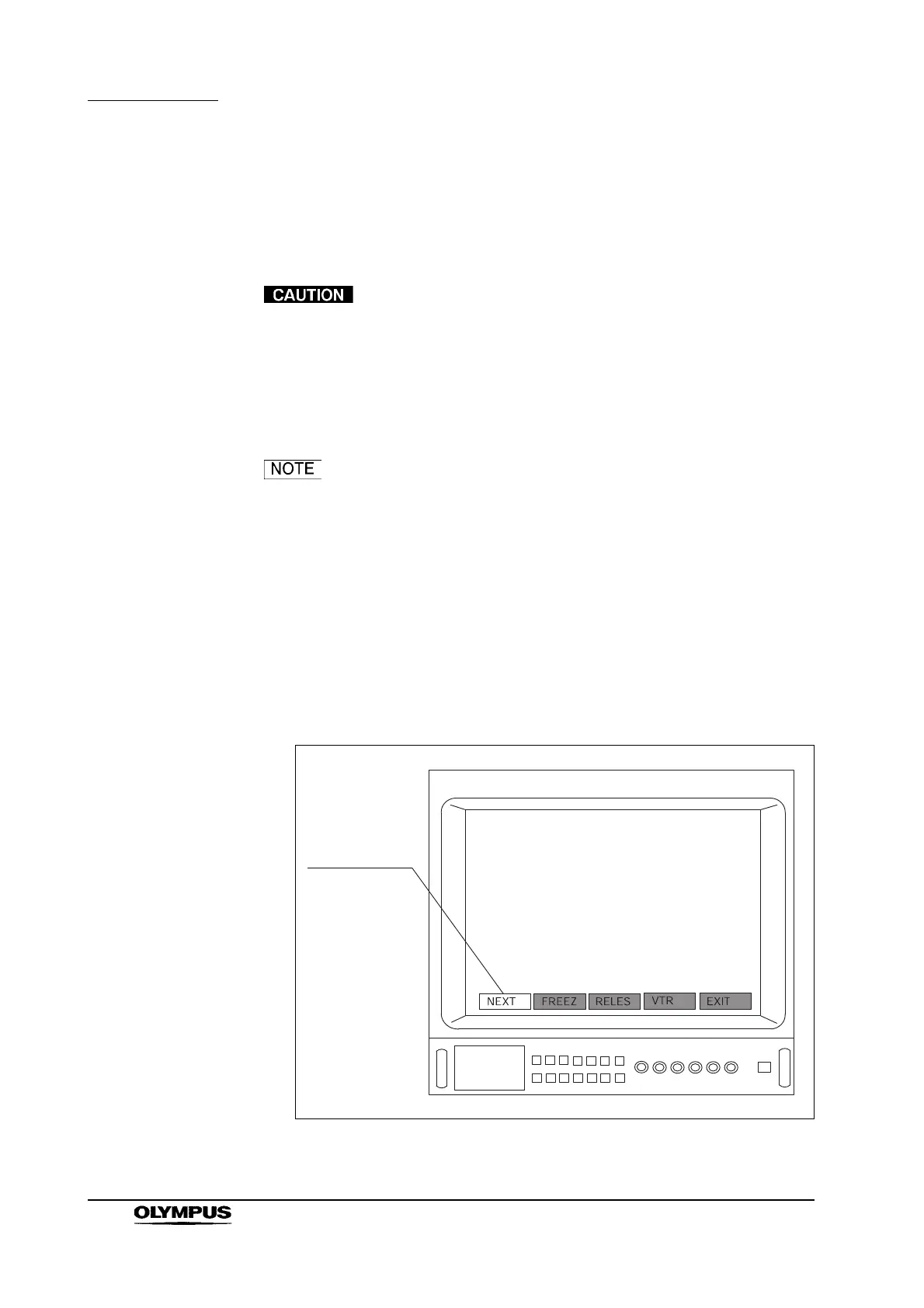
Confirm that the video monitor displays the menu shown in Figure 5.3. If not,
press the remote control switch for “execution” or for “selection”, the “F1”,
“Enter”, “ ”, “ ”, “” or “” key on the keyboard to display the menu. The
currently selected menu is highlighted with a white background (see Figure 5.3).
Figure 5.3



 To Next Page