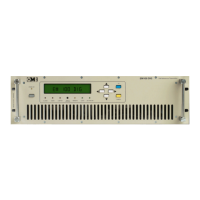
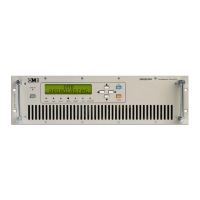
FM TRANSMITTER
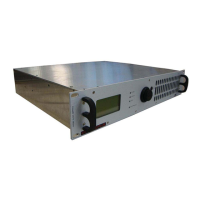
TR EM 1000 HE DIG PLUS COMPACT
Technical Manual 1v2 November 2019 25
2.2 Basic Operations.
2.2.1 Initial start-up and basic adjustments
The first time the device is turned on, it is important to perform basic adjustments (frequency,
output power, modulation, etc.) and verify that they are functioning correctly (e.g., reflected
power) via the commands menu. This section explains how to perform these adjustments.
The transmitter stores in its memory the operating mode in which it was working before the
power supply was turned off or a mains failure took place. Therefore, before continuing, it
is important to ensure that it is connected to a load that is able to support the maximum
deliverable power.
Operating the transmitter without an antenna, or when the antenna is improperly
connected, may cause damage that is not covered by the warranty, particularly during the
final stage of transmission.
If turning the transmitter on places it directly in operation (rather than on stand-by), we
recommend that the ON/STAND-BY button be pressed to place the transmitter on stand-by
while making adjustments.
Proper adjustment of the parameters should be made so as to conform to local regulations;
such conformity is the full responsibility of the user.
If the device is left on the SETUP menu without receiving a command, the display will
automatically return to the STATUS screen under the VIEW menu.
1) Ensure that all installation conditions are met, and that all the connections described have
been made. You can connect a suitable dummy load to the transmitter’s RF output instead of
the antenna.
2) Turn on the device via the rear power switch. For a few seconds, the OMB logo will appear
on the full screen; after this, the default screen will be displayed; the bottom of the default
screen will show the two main menus, VIEW and SETUP.
3) At this point, two conditions are possible:
• The transmitter begins to operate (including possible powering up) – the display turns on,
and the ON LED lights up in green. In such case, it is recommended that the basic settings be
made, turning the transmitter on stand-by. To do so, press the ON/STAND-BY button. Ensure
the ON LED lights up in yellow and skip directly to step 4).
• The transmitter goes to stand-by – the display turns on, and the ON LED lights up in yellow.
At this point, proceed to the next step.
4) Turn the knob to select the main SETUP menu, and press briefly to confirm. The first of the
three pages comprising the SETUP menu will appear:


 To Next Page