FM TRANSMITTER
TR EM 1000 HE DIG PLUS COMPACT
Technical Manual 1v2 November 2019 56
3) Using the knob, select OK to save the settings, EDIT to make further changes, or ABORT to
exit without saving the new settings, then press to confirm
- MPX
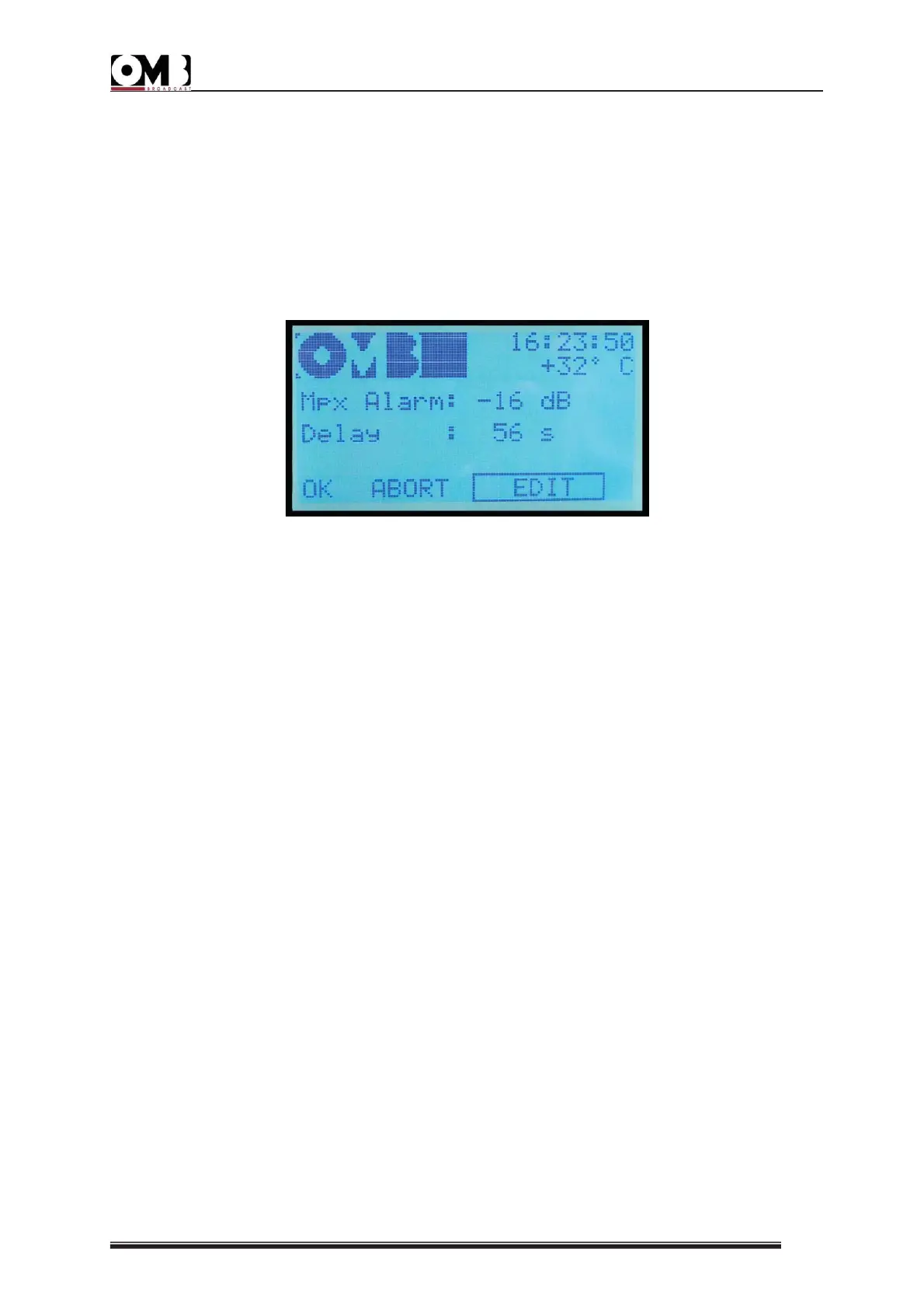
From this screen, you can personalize the insufficient modulation alarm. Two parameters can
be set:
• Mpx Alarm – the threshold below which modulation, expressed in dB in reference to a
deviation of 75KHz (0dB = 75KHz), is considered insufficient.
• Delay – the time in seconds after which, if modulation remains insufficient, an alarm is
issued.
In the above example, the alarm is issued only when modulation constantly remains at least
16 dB below 75KHz for 56 seconds.
To set the insufficient modulation pre-alarm and alarm:
1) Ensure that the EDIT option is selected; otherwise, turn the knob to select it, then press to
confirm. A value will be indicated after Mpx Alarm.
2) Turn the knob to change the modulation to a level that is considered insufficient for your
requirements, then press to confirm.
A value will be indicated after Delay.
3) Turn the knob to change the time interval according to your requirements, then press to
confirm.
4) Using the knob, select OK to save the settings, EDIT to make further changes, or ABORT to
exit without saving the new settings, then press to confirm.
- RESET LOG
As previously mentioned, this menu does not allow you to configure alarms, but rather to
delete the alarm history.


 To Next Page