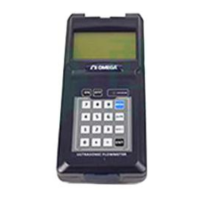
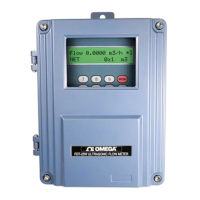
FDT-25W Wall Mounter Ultrasonic Flowmeter
4.19 How to use the OCT output................................................................................................................ 30
4.20 How to modify the built-in calendar................................................................................................... 30
4.21 How to view the Date Totalizers.........................................................................................................30
4.22 How to use the Working Timer........................................................................................................... 30
4.23 How to use the manual totalizer.........................................................................................................30
4.24 How to know how long the battery will last...................................................................................... 31
4.25 How to check the ESN and other minor details...............................................................................31
4.26 How to use the data logger for scheduled output........................................................................... 31
4.27 How to output analogue voltage signal.............................................................................................31
4.28 How to adjust the LCD display........................................................................................................... 31
4.29 How to use RS232/RS485?................................................................................................................31
4.30 How to use automatic amending function for offline compensation............................................ 32
4.31 How to use batch controller................................................................................................................ 32
4.32 How to adjust the analogue output....................................................................................................32
4.33 How to solidify the parameters...........................................................................................................32
4.34 How to enter the parameters of user-type-transducer................................................................... 32
4.35 How to use the circular display function........................................................................................... 33
4.36 How to enter into the linearity correcting? How to enter into the data?...................................... 33
4.37 How to save / restore frequently-used pipe parameters................................................................34
5. Troubleshooting.................................................................................................................................................34
5.1 Power-on Error Displays and Counter-Measures............................................................................. 34
5.2 Error Code and Counter-Measures..................................................................................................... 35
5.3 Other Problems and Solutions..............................................................................................................36


 To Next Page
 Loading...