17
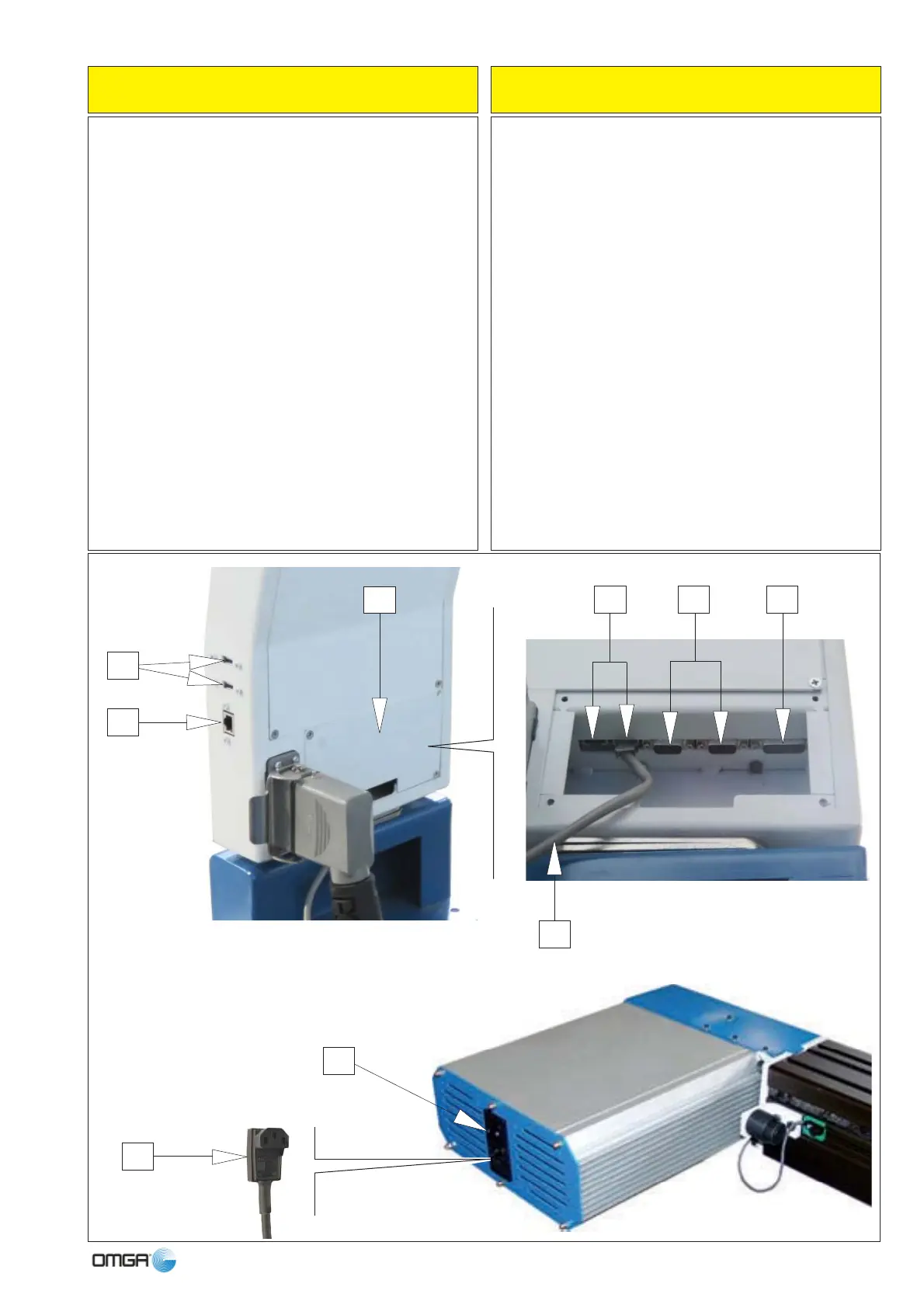
BOX NC - COMANDI POSTERIORI N.C. BOX - BACK COMMANDS
1 2 Porte USB
2 1 Porta RJ45 ETERNET
Per accedere alle porte interne, svitare le 4 viti del pi-
astrino (A) e toglierlo.
3 2 Porte seriali RS232
4 1 Porta 15 Pin per kit “Dierregi”
5 2 Porte RJ45 “NO ETERNET”
Collegamento dello spintore.
Occorre mettere un cavo di corrente nella spina che
diamo in dotazione e collegare a corrente monofase
110 - 230 Volt (6).
A questo punto il dispositivo FP è pronto per lavorare;
premere l’interruttore (7) per accendere e passare al
Manuale del Software che avete acquistato (allegato
a questo).
7
6
2
1
5 3 4
A
1 2 USB ports
2 1 RJ45 port ETERNET
In order to access the inner ports, unscrew and remove
the 4 screws of (A) plate and remove it.
3 2 RS232 serial ports
4 15 pin port for connection of the DIERREGI kit
5 2 RJ45 ports “NO ETERNET”
Plugging the FP Stop
It is necessary to connect the power cable to the plug
supplied with the equipment and plug in to 1 phase
110-230V power (6).
At this point, the FP device is ready for use; press the
switch (7) to switch on and refer to the manual relative
to the software you have purchased (attached to this
manual).
X



 To Next Page