14
SEMI AUTOMATICO SEMIAUTOMATIC
4
4
3
1
2
3
1
2
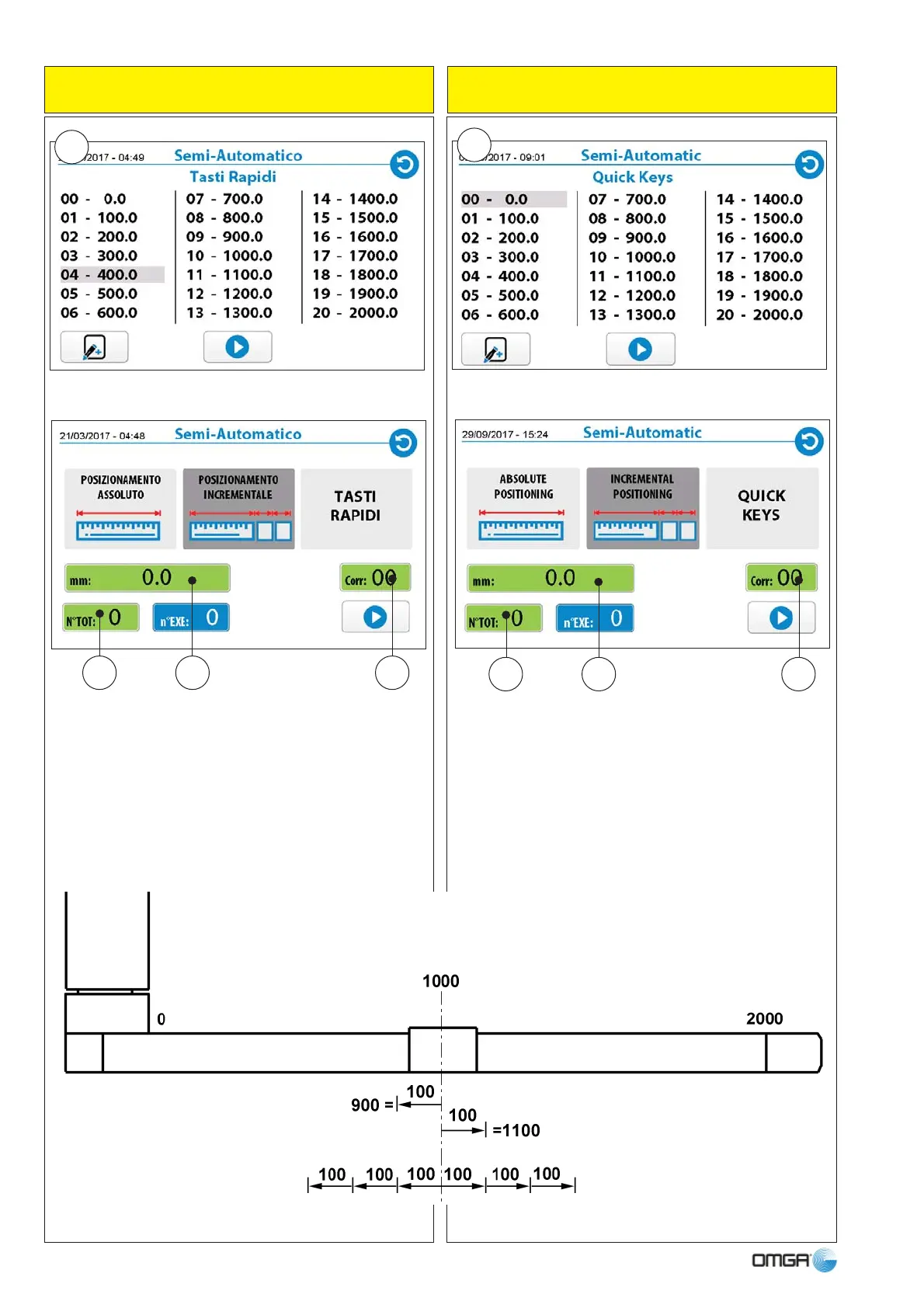
1 - Premendo sul tasto si visualizza la schermata del
tastierino numerico, impostare la quota desiderata.
2 - Premendo sul tasto si visualizza la schermata del
tastierino numerico, impostare quante volte si vuole ri-
petere la misura (restando dentro alla misura assoluta).
3 - Il tasto visualizza la tabella correzioni (funzione op-
zionale).
1 - Pressing the button, displays the numerical key-
board, enter the desired position.
2 - Pressing the button, displays the numerical key-
board, enter the number of repetitions of the position
(remaining within the absolute position).
3 - The key shows the correction table (optional func-
tion).



 To Next Page