EasyManua.ls Logo

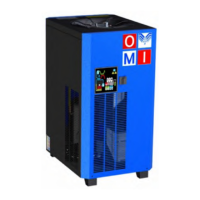
omi ED HP40 - User Manual

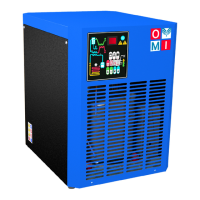
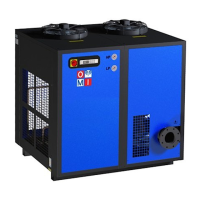
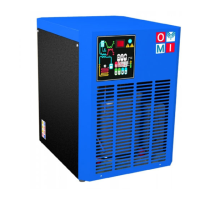
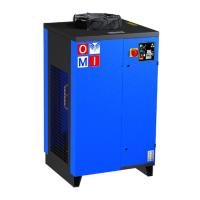
omi ED HP40
75 pages
Go to English
Print Icon
To Next Page IconTo Next Page
Loading...
OMI srl
Cod. 710.0150.01.00 Rev.03 – 09.2019
- I -
ESSICCATORI D’ARIA COMPRESSA AD ESPANSIONE DIRETTA
Manuale d’ uso e manutenzione
- GB -
DIRECT EXPANSION COMPRESSED AIR DRYERS
Instruction and Maintenance Manual
- D -
DRUCKLUFT KÄLTETROCKNER
Handbuch für Betrieb und Wartung
- F -
SECHEUR D’AIR A EXPANSION DIRECTE
Manuel d’instructions et d’entretien
- E -
SECADORES A EXPANSIÓN DIRECTA
Manual de uso y mantenimiento
- RUS -
ОСУШИТЕЛИ СЖАТОГО ВОЗДУХА РАСШИРИТЕЛЬНОГО ТИПА
Руководство по эксплуатации и техническому обслуживанию
ED HP40
54 – 88 – 108
144 – 225 – 270
360 – 480 – 660

Table of Contents

Questions and Answers

  • K
    Kathleen RamirezAug 17, 2025
    What to do if the omi Dehumidifier compressor doesn’t start?
    • E
      Evan OrtegaAug 17, 2025
      If your omi Dehumidifier's compressor isn't starting, first check the cabling and control connections. If the compressor's internal thermal protection has activated, wait one hour and check again; if it persists, stop the dryer and consult a refrigeration engineer. Inspect the compressor's electrical components. If there's a short circuit, the compressor needs replacement.
  • J
    Jessica MartinAug 21, 2025
    How to fix an omi Dehumidifier that does not let compressed air flow through?
    • J
      Jessica NorrisAug 21, 2025
      If your omi Dehumidifier isn't allowing compressed air to flow through, first check that the compressed air inlet/outlet is properly connected. Verify the proper installation of any bypass. Also, inspect for clogged connecting tubing and address as needed. If the temperature control probe in the evaporator is positioned improperly or faulty, check it. If the temperature on the control panel display is lower than the nominal value, call a refrigeration engineer. Check the electronic control board and replace if needed.
  • C
    Christian Levy MDAug 25, 2025
    What to do if the fan doesn’t work on my omi Dehumidifier?
    • W
      William ColemanAug 25, 2025
      If the fan in your omi Dehumidifier isn't working, start by checking the protection fuse (if one is present) and replace it if necessary. Inspect the cabling and the electronic control board, replacing the board if the problem continues. If there is a short circuit in the fan, replace the fan. If the fan pressure switch is defective or burned out, stop the dryer and contact a refrigeration engineer.
  • A
    Angela EnglishAug 28, 2025
    Why is there no condensate drain in my omi Dehumidifier (no water nor air)?
    • D
      Darren GarciaAug 28, 2025
      If there's no condensate drain (neither water nor air) in your omi Dehumidifier, check the cabling and clean the pre-filter of the drainage system. If the coil of the drainage solenoid valve is burned out, replace it. If the drainage solenoid valve is clogged or jammed, clean or replace it. If the temperature on the display of the control panel is lower than the nominal value, call a refrigeration engineer. Also, check the electronic card and replace it if the issue continues.
  • K
    Kevin FieldsSep 1, 2025
    How to stop continuous airflow through the condensate drainage in omi Dehumidifier?
    • J
      Judith MeyerSep 1, 2025
      If air flows continuously through the condensate drainage of your omi Dehumidifier, clean or replace the jammed drainage solenoid valve. Verify the condensate drainage times and check the control; if the issue persists, replace it.
  • R
    Rebecca BrownSep 5, 2025
    What to do if there is water in the pipes downstream the omi Dehumidifier?
    • L
      Lisa OrtizSep 5, 2025
      If you find water in the pipes downstream from the omi Dehumidifier, ensure the dryer is turned on. Close the bypass if one is present. For issues related to absent condensate drainage or temperatures outside the nominal range on the control panel display, refer to the specific sections covering those problems.
  • E
    Elizabeth ChangSep 8, 2025
    How to fix the luminous switch or display if it's OFF on my omi Dehumidifier?
    • W
      William Mcfarland MDSep 8, 2025
      If the luminous switch or the control panel display of your omi Dehumidifier is off, check if the line is electrically powered and inspect the cabling. If the problem continues, check the electronic control board and replace it if necessary.
  • J
    Jennifer TranNov 12, 2025
    Why is the temperature on the omi Dehumidifier control panel display too high?
    • M
      martinezchristineNov 12, 2025
      If the temperature displayed on your omi Dehumidifier's control panel is higher than the normal value, ensure the compressed air inlet/outlet is properly connected. Also, the dryer might require a refrigeration engineer if there's gas leakage in the refrigerating circuit. Check cabling and clean the condenser. Make sure that the temperature control probe in the evaporator is positioned properly or faulty. If the flow rate and/or temperature of the air entering the dryer are higher than the nominal values; restore the nominal conditions, and the ambient temperature is higher than the nominal values; restore the nominal conditions. Consult specific sections for compressor and fan issues, or if condensate drain is absent. If the fan pressure switch is defective or burned out, contact a refrig...

omi ED HP40 Specifications

General IconGeneral
Brandomi
ModelED HP40
CategoryDehumidifier
LanguageEnglish

Related product manuals