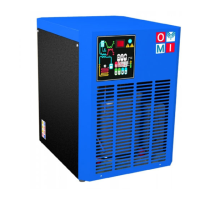
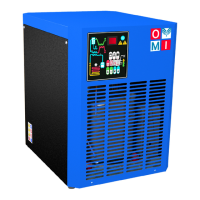
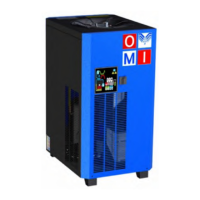
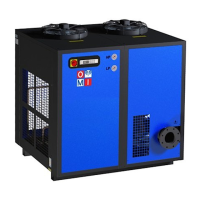
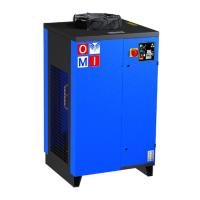
This document is an operator's manual for OMI S.r.l. Direct Expansion Compressed Air Dryers, specifically the ED HP45 series, covering models with capacities ranging from 88 to 1200.
Function Description
OMI refrigerated air dryers are designed to remove moisture from compressed air, which is crucial for protecting pneumatically operated appliances, controls, instruments, machinery, and tools from damage. The drying process occurs in a patented aluminum heat exchanger in two stages. First, in the air/air sector, incoming compressed air is cooled by colder compressed air exiting the condensate separator. Second, in the refrigerant/air sector, the air temperature is further lowered to the dew point. During these stages, oil and water vapors condense into liquid, which is then separated from the compressed air in the condensate separator and drained automatically. The cold, dry air then re-enters the air/air exchanger, where it is reheated by the incoming hot air, recovering energy and reducing the relative humidity of the outgoing air. The dryer is equipped with all necessary control, safety, and adjustment devices, eliminating the need for auxiliary devices. It can be easily integrated into various pneumatic systems requiring dry air.
Important Technical Specifications
The dryers are designed and manufactured in accordance with several European safety directives, including:
- 2006/42/EU: Machine Directive
- 2006/95/EU: Low Tension Directive
- 2004/108/EU: Electromagnetical Compatibility Directive
- 2014/68/EU: PED Directive
The working life of these units is expected to be between 10 and 20 years.
Fluid Specifications (from Nameplate Values):
- Freon HFC (R513A, R407C, R134a, R452A):
- Low Pressure (LP): Max. allowable pressure 20 bar (relative) for R134a, R513A, R407C, R452A. Work temperature min -10°C, max 52°C. Design temperature min -15°C, max 52°C.
- High Pressure (HP): Max. allowable pressure 30 bar (relative) for R134a, R513A, 28 bar (relative) for R407C, R452A. Work temperature min -10°C, max 120°C. Design temperature min -15°C, max 120°C.
- Compressed Air:
- Compress. Air Side: Max. allowable pressure 45 bar (relative). Work temperature min 5°C, max 60°C. Design temperature min -15°C, max 66°C.
- Ambient Air:
- Ventilation Side: Work temperature min 2°C, max 46°C. Design temperature min -15°C, max 52°C.
The minimum protection degree is IP 42.
The dryer is equipped with a safety valve (freon side) that activates only if there is damage to the exchanger. The equipment is not supplied with safety devices on the compressed air side; these must be installed by the user according to national norms.
Usage Features
Installation:
- Requires protection from atmospheric agents and direct sunlight.
- Must be placed on a flat, stable base capable of supporting its weight.
- Ambient temperature must comply with nominal data.
- Should be in a clean area, free from forced air drafts that could affect the fan control system.
- Requires sufficient clearance (20 inches, 500 mm) around the dryer for cooling and maintenance.
- Incoming air must be free from smoke or flammable vapors to prevent explosion or fire risks.
- A suitably sized prefilter (at least 10 micron) must be installed before the dryer; failure to do so voids the warranty.
- The user must install a protective device to prevent exceeding maximum allowable pressure and temperature.
- Proper grounding by a qualified electrician is mandatory to prevent electrical shock.
Control Panel:
The electronic control system features a digital panel with 5 keys (ON/OFF, TEST, SET, DOWN, UP) and a 3-digit display with three signaling LEDs.
- ON/OFF: Activates or deactivates the dryer.
- TEST: Activates the condensate drain (when pushed for 3 seconds during normal operation).
- SET: Displays parameter C1 (when pushed and released). Allows entry into C8 and C9 condensate drain parameters programming menu (when pushed for 10 seconds). Stores new configuration values.
- DOWN/UP: Adjusts displayed values during parameter setting. DOWN also starts an automatic test cycle of the controller (when pushed for 10 seconds during normal operation).
- Display Indications: Shows operational status (e.g., ENERGY SAVING mode, low/normal/high load) and fan speed (100% or <100%). Blinking LEDs indicate programming mode or fan speed <100%.
Start-up Sequence:
- Ensure dryer is bypassed or there is no load on the cooler.
- Switch on the main electrical isolation switch. The control panel will show "OFF".
- Press and hold the ON/OFF button. The compressor motor starts after 120 seconds. The fan motor starts simultaneously with the compressor for ED480-1200 HP45 models, and after 30 seconds for smaller models.
- Wait 5 to 10 minutes for the machine to achieve standard operating parameters.
- Slowly open the air outlet valve, then the air inlet valve.
- Close the air bypass valve (if existent).
- Check condensate drain operation and pipe tightness.
Stop Sequence:
Pressing the ON/OFF switch for 1 second stops the compressor and fan motor, which continue running for 10 seconds to re-balance internal pressures. The dryer can also stop due to alarms or energy-saving conditions (ESA or ES2) to prevent heat exchanger freezing.
Variable Speed Fan Control:
A microprocessor adjusts the fan motor speed to regulate cooling capacity based on dew point. Higher dew point increases fan speed; lower dew point decreases it. Fan speed ranges from 0-100%. For ED480-1200 HP45 models, a hot gas bypass valve assists in adjusting cooling capacity.
Condensate Discharge Parameters Programming:
- C8 (Delay between condensate discharges): Range 1-240 minutes. Default: 1 minute.
- C9 (Time required for condensate discharge): Range 1-240 seconds. Default: 1 second for ED88-108 HP45, 2 seconds for ED180-225 HP45, 3 seconds for ED270-1200 HP45.
Changes to these parameters should only be performed by personnel familiar with dryer operation, as incorrect settings can negatively affect efficiency. Modifying other configuration parameters without OMI's authorization is forbidden.
Remote Signaling Alarm:
The dryer control board has a dry contact for a remote alarm signal, which is normally open and closes when an alarm is detected. Activation requires reviewing the diagram, disconnecting power, removing covers, connecting the alarm circuit to terminal blocks, and reassembling.
Maintenance Features
General Safety:
- Only qualified personnel are permitted to adjust, perform maintenance, or repair the dryer.
- Always disconnect main electrical supply and discharge air pressure before working on the unit.
- Never attempt to service parts while the machine is operational or remove refrigeration system parts without containing refrigerant according to regulations.
- Do not operate the dryer above rated pressures or without guards.
- Perform pressure tests with inert gases only (helium, nitrogen).
Maintenance Schedule:
- Weekly or Every 40 Hours of Operation:
- Verify temperature on the control panel display.
- Visually check regular condensate drainage.
- Clean the filter mesh of the condensate drain system.
- Monthly or Every 200 Hours of Operation:
- Clean the condenser with compressed air, taking care not to damage fins.
- Check if the dryer is working properly.
- Check and replace any filters installed with the dryer as needed.
- Yearly or Every 2000 Hours of Operation:
- Check and replace the flexible tube for condensate drainage if damaged.
- Check if all connecting pipes are properly tightened and fixed.
- Check if the dryer is working properly.
Troubleshooting:
The manual provides a detailed troubleshooting guide for various issues, including:
- Control panel blank (no power, cabling, control board issues).
- Dryer off or in stand-by.
- Compressed air inlet/outlet inverted.
- High flow rate/temperature of air, high ambient temperature, dirty condenser.
- Condensate drain malfunction (clogged, burned coil, incorrect parameters).
- Temperature control probe issues (improperly positioned, faulty).
- Compressor issues (internal thermal protection, electrical components, defective compressor).
- Low pressure in the line (ice formation, clog, continuous air flow through drainage, gas leakage).
- Fan pressure switch or high pressure switch defective.
- Defective fan, burned fuse.
- Series of alarms.
For issues related to the refrigerating circuit, contact a refrigeration engineer.
Decommissioning:
- All decommissioning work must be carried out by specialist personnel.
- Stop the device and permanently isolate it from electricity mains.
- Disconnect power cable.
- Take pressure off the air circuit.
- Empty the tank and internal cooling medium circuits.
- If dispatching, use original or similar packaging and keep the device upright.
- Never open the sealed cooling assembly if refrigerant or lubricating oil is present.
- Send the dryer to an approved waste disposal company in accordance with environmental protection legislation. Other materials/waste constituents must be treated according to valid legislation.



 To Next Page
 General