EasyManua.ls Logo

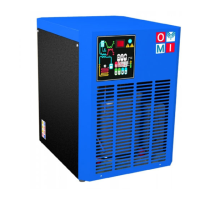
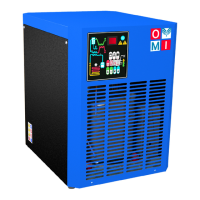
omi ED108 HP45 - User Manual

Default Icon
16 pages
Print Icon
To Next Page IconTo Next Page
Loading...
Cod. 710.0201.01.00 Rev.01 05.2022 © Copyright 2022 OMI Srl - All rights reserved 1 - 11
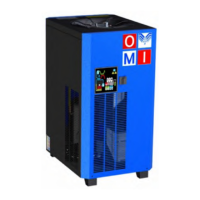
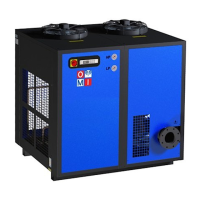
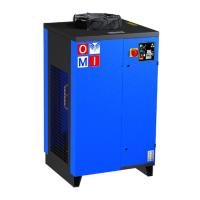
DIRECT EXPANSION COMPRESSED AIR DRYERS
Operators Manual
ED HP45
88 108 180
225 270 360
480 660 990 1200

Questions and Answers

  • R
    Roberta KelleyAug 8, 2025
    What to do if there is water in the omi Dehumidifier system?
    • R
      ryandavisAug 8, 2025
      If you find water in the system, there could be several reasons. First, ensure that there is power in the line. Second, the dryer may be off; turn it on by pressing the ON/OFF switch for 1 second, and wait 2 minutes after switching it on. The compressed air inlet/outlet may be inverted; check if it is connected properly. Also, the condenser might be dirty, so clean it. Check the cabling and the electronic control board, and replace them if needed. If the condensate drain is not functioning, clean the condensate drainage system filter mesh. Restore the power in the line. Restore the nominal conditions if the flow rate and/or temperature of the air entering the dryer or the ambient temperature are higher than the nominal values.
  • J
    Jason ConwayAug 23, 2025
    Why is the pressure in the line low in my omi ED108 HP45?
    • L
      Linda HuffmanAug 23, 2025
      A low pressure in the line of your OMI Dehumidifier can be caused by several factors. Check if there is ice formation in the evaporator, and if so, check the probe and replace it if necessary. Also, check if the compressed air inlet/outlet is connected properly, as a clog could be the reason. If air flows continuously through the condensate drainage, the drainage solenoid valve may be jammed; clean or replace it. Check if the connecting tubing is clogged and inspect the condition of any filter. Also, verify the condensate drainage times set on the electronic control board (C8 and C9) and check the no loss condensate drain, replacing it if the problem persists.

Summary

1. GENERAL INFORMATION

1.1 FUNCTIONAL DESCRIPTION

Explains how the dryer removes moisture from compressed air through cooling and separation stages.

1.2 USE OF THE MACHINE IN SAFE CONDITIONS

Details essential safety precautions and general operating guidelines for safe machine use.

2. INSTALLATION

2.1 ACCEPTANCE AND HANDLING

Guides on inspecting the unit upon delivery and proper handling procedures to prevent damage.

2.2 STORAGE AND INSTALLATION LOCATION

Specifies ideal conditions for storing the dryer and requirements for the installation site.

2.3 UNPACKING

Provides instructions on how to safely unpack the device and dispose of packaging materials.

2.4 INSTALLATION

Details the steps for connecting the dryer to compressed air lines and electrical power.

3. START UP

3.1 CONTROL PANEL

Overviews the control panel components, including keys, display, and signaling LEDs for operation.

3.1.1 KEYS FUNCTION

Explains the function of each key on the control panel for operating the dryer.

3.1.2 CONDENSATE DISCHARGE PARAMETERS PROGRAMMING

Guides on how to program delay and time parameters for condensate discharge.

3.1.3 DISPLAY INDICATIONS

Describes the messages and indicators on the display for anomalies and operating modes.

3.1.4 REMOTE SIGNALING ALARM

Details how to connect a remote alarm signal to the dryer's control board.

3.2 BEFORE START UP

Lists essential checks to perform on operating parameters before starting the machine.

3.3 START UP

Outlines the step-by-step procedure for starting the dryer after installation or prolonged inactivity.

4. MAINTENANCE, TROUBLESHOOTING AND DECOMMISSIONING

4.1 MAINTENANCE

Provides a schedule for weekly, monthly, and yearly maintenance tasks to ensure optimal performance.

4.2 TROUBLESHOOTING

Lists common issues, possible causes, and remedies for troubleshooting dryer malfunctions.

4.3 DECOMMISSIONING

Details the safe procedure for shutting down and decommissioning the dryer at the end of its service life.

5. SAFETY INFORMATION

5.1 General safety instruction

Covers general safety directives and compliance with European safety standards for the dryer.

5.2 Equipment nameplate values

Lists key technical specifications and operating parameters found on the equipment's nameplate.

5.3 Information about remaining risks of the equipment

Discusses potential risks such as fire, refrigerant dispersion, and pressure, with mitigation advice.

omi ED108 HP45 Specifications

General IconGeneral
Brandomi
ModelED108 HP45
CategoryDehumidifier
LanguageEnglish

Related product manuals