EasyManua.ls Logo

omi ED Series User Manual

omi ED Series
116 pages
To Next Page IconTo Next Page
Page #1 background imageLoading...
Page #1 background image
s.r.l.
ED
series
Cod. 710.0103.01.00 Rev2A – 11.2012
- EN -
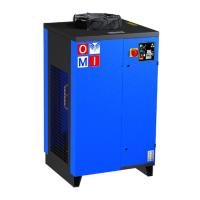
DIRECT EXPANSION COMPRESSED AIR DRYERS
Operators Manual
- IT -
ESSICCATORI D’ARIA COMPRESSA AD ESPANSIONE DIRETTA
Manuale dell'Operatore
- ES -
SECADORES A EXPANSIÓN DIRECTA
Manual del Operador
- DE -
DRUCKLUFT KÄLTETROCKNER
Bedienerhandbuch
- FR -
SECHEUR D’AIR A EXPANSION DIRECTE
Manuel des Opérateurs
- RU -
ОСУШИТЕЛИ СЖАТОГО ВОЗДУХА РАСШИРИТЕЛЬНОГО ТИПА
Руководство по эксплуатации
Models / Modelli / Modelos / Modelle / Modèles / Модели
ED 1300
ED 1700
ED 2200
ED 2700
ED 3600
ED 4200
ED 5300
ED 6000
ED 6600
According to PED 97/23/CE
Secondo la direttiva PED 97/23/CE
Segun directiva PED 97/23/CE
Gemäß PED 97/23/CE
Selon la directive PED 97/23/CE
В соответствии с Директивой PED 97/23/CE

Table of Contents

Other manuals for omi ED Series

Question and Answer IconNeed help?

Do you have a question about the omi ED Series and is the answer not in the manual?

omi ED Series Specifications

General IconGeneral
Brandomi
ModelED Series
CategoryDehumidifier
LanguageEnglish

Summary

General Information

Safe Use of the Dryer

Outlines the safe practices for operating the dryer.

Safety Information

General Safety Instructions

General safety guidelines for operating and maintaining the dryer.

Installation Procedures

Operation and Maintenance

Start-Up Procedure

Instructions for initial start-up and operation of the dryer.

Control Panel Interface

Control Panel Functions

Alarms and Pre-alarms Explained

Describes prealarms and alarms, their causes, and effects.

Displaying and Resetting Alarms

Procedure for viewing and resetting alarms.

Alarm Reference Table

Detailed Alarm Table

Comprehensive table listing alarm labels, causes, controller status, and resets.

Alarm Management

Not Resettable Alarms

Information on alarms that cannot be reset until the cause is eliminated.

Parameter Programming

Entering and Modifying Parameters

Steps to enter the parameter menu and modify settings.

Advanced Control Features

Operational Modes and Remote Controls

Troubleshooting Common Issues

Temperature Display Issues

Troubleshooting steps for high display temperature.

Pressure Drop Issues

Troubleshooting steps for excessive pressure drop.

Water in Air Outlet

Troubleshooting steps for water in the air outlet.

Safety and End-of-Life Procedures

Related product manuals