EasyManua.ls Logo

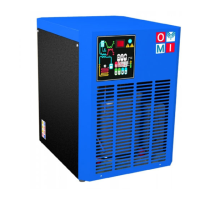
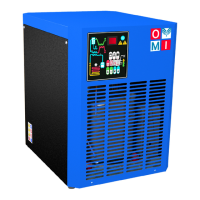
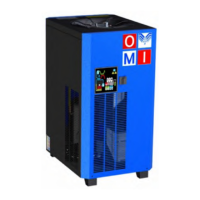
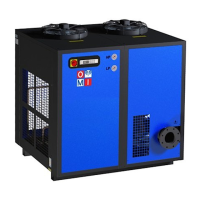
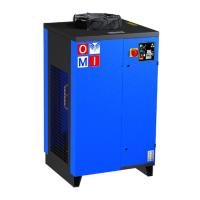
omi EL 108 - User Manual

Default Icon
69 pages
Print Icon
To Next Page IconTo Next Page
Loading...
OMI srl
Cod. 710.0151.01.00 Rev0B – 08.2012
- I -
ESSICCATORI D’ARIA COMPRESSA AD ESPANSIONE DIRETTA
Manuale d’ uso e manutenzione
- GB -
DIRECT EXPANSION COMPRESSED AIR DRYERS
Instruction and Maintenance Manual
- D -
DRUCKLUFT KÄLTETROCKNER
Handbuch für Betrieb und Wartung
- F -
SECHEUR D’AIR A EXPANSION DIRECTE
Manuel d’instructions et d’entretien
- E -
SECADORES A EXPANSIÓN DIRECTA
Manual de uso y mantenimiento
- RUS -
ОСУШИТЕЛИ СЖАТОГО ВОЗДУХА РАСШИРИТЕЛЬНОГО ТИПА
Руководство по эксплуатации и техническому обслуживанию
EL
36 – 54 – 72 – 108 – 144
180 – 216 – 280 – 340

Table of Contents

Questions and Answers

  • J
    Jasmine DanielsAug 20, 2025
    What to do if my omi EL 108 has water in the system?
    • T
      Timothy SchaeferAug 20, 2025
      If you find water in the system, start by restoring power to the line. Next, check the cabling and replace if faulty. Inspect the electronic control board and replace it if problems persist. Ensure the dryer is turned on by pressing the ON/OFF switch. Wait two minutes after turning the dryer on. Verify the compressed air inlet/outlet is connected properly. Restore nominal conditions if the air flow rate, temperature, or ambient temperature are too high. Clean the condenser and the condensate drainage system pre-filter. Replace the coil of the drainage solenoid valve if burned, or clean/replace the valve if clogged. Check the C8 and C9 parameters on the electronic control board and replace if necessary. Finally, check and replace the temperature control probe if faulty.
  • A
    Andrea StanleyAug 30, 2025
    Why is there water in my omi Dehumidifier system?
    • A
      Anthony RyanAug 30, 2025
      There are several possible reasons for water in the system. These include: a lack of power, cabling problems, issues with the electronic control board, the dryer being off or in standby, incorrect connection of the compressed air inlet/outlet, air flow/temperature or ambient temperature exceeding nominal values, a dirty condenser, a malfunctioning condensate drain, a burned coil or clogged drainage solenoid valve, or a faulty temperature control probe. The C8 and C9 parameters of the electronic control board could also be the reason.
  • E
    Emma MarksNov 8, 2025
    How to fix water in omi Dehumidifier system?
    • K
      Kerry HarrisNov 8, 2025
      If there's water in the system, several factors could be responsible. First, ensure power is available. Then, examine the cabling and replace it if necessary. Inspect the electronic control board and replace it if needed. Confirm the dryer is on and not in standby mode (wait 2 minutes after switching on). Check that the compressed air inlet/outlet is correctly connected. Also, make sure that the air flow rate and temperature entering the dryer are within nominal values, as well as the ambient temperature. Clean the condenser and the condensate drainage system pre-filter. Consider replacing the coil or cleaning/replacing the drainage solenoid valve if burned or clogged. Finally, check the C8 and C9 parameters of the electronic control board and replace it if the issue continues. Check the t...

Summary

Symbols Used in Manual and on Dryer

GENERAL INFORMATION

Functional Description

Explains the operating principle, components, and technical aspects of the dryer.

Safe Use and Conditions

Details safety rules, precautions, and recommendations for operating the dryer correctly and safely.

INSTALLATION

Acceptance and Transportation

Procedures for inspecting the dryer upon delivery and safe handling during transport.

Installation Site Requirements

Specifies environmental and physical requirements for the dryer's installation location.

Installation Procedure

Step-by-step guide for connecting the dryer to air lines and power supply.

START UP

Control Panel Overview

Describes the control panel layout, keys, display, and indicator LEDs.

Key Functions

Explains the operation of each button on the control panel for user interaction.

Condensate Discharge Programming

Details how to program condensate discharge timing parameters via the control panel.

Anomaly Warning System

Lists common error messages, their causes, and recommended actions.

Remote Signaling Alarm

Instructions for setting up and using the remote alarm notification feature.

Before Start Up Checks

Essential checks and verification steps before powering on the dryer.

Startup Procedure

Step-by-step guide for initiating the dryer's operation.

MAINTENANCE, TROUBLESHOOTING AND DISMANTLING

Maintenance Schedule and Procedures

Outlines routine maintenance tasks based on operating hours or time intervals.

Troubleshooting Common Issues

Provides solutions for common operational problems and error indicators.

Dismantling and Disposal

Guidance on safely disassembling the unit and disposing of it according to regulations.

omi EL 108 Specifications

General IconGeneral
Brandomi
ModelEL 108
CategoryDehumidifier
LanguageEnglish

Related product manuals