9
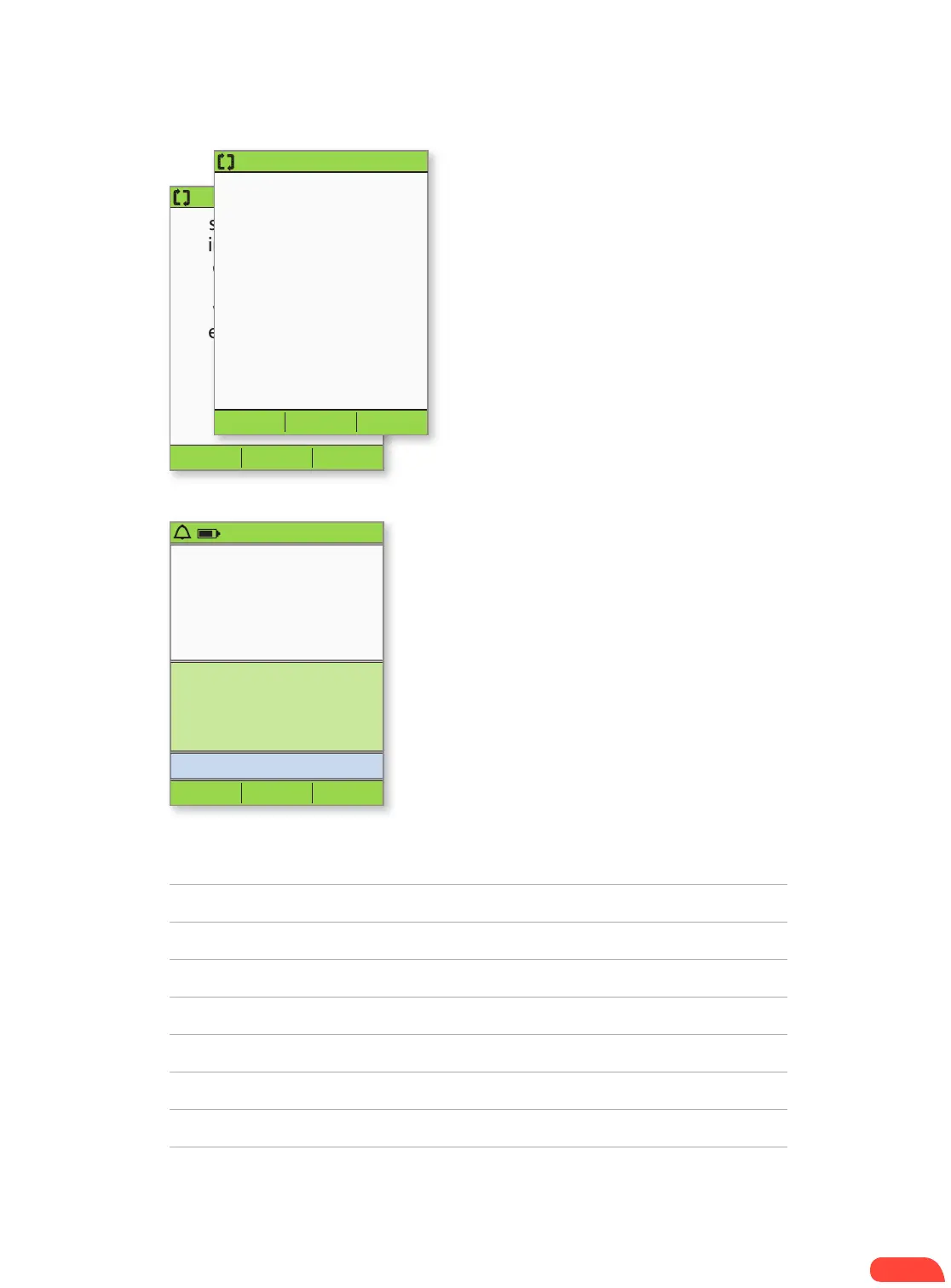
3:00p 2/11
Last BG 8.3 mmol/L
2:51p today
Last bolus 1.00U
2:01p today
No active pod.
Would you like to
activate a pod now?
No Yes
+ Press Ye s to activate a new Pod.
+ Follow the steps on pages 11 and 12 to fill
a new Pod with insulin. As you proceed, if
the PDM screen times out, press and hold the
Home/power button to turn it back on.
4.
3:00p 2/11
Press “Confirm” to
begin the pod change
process.
This will deactivate your
current pod.
Back Confirm
3:00p 2/11
Pod deactivated.
Remove and discard the
pod, and then press
“Next.”
Next
+ Press Confirm to deactivate Pod.
+ Gently remove the deactivated Pod by slowly
peeling back the adhesive. (Our users have
reported commercial solvent or baby oil can be
helpful to soften the adhesive if necessary.)
3.
NOTES
HOW TO CHANGE THE POD
If the PDM screen times out during the process, press
and hold the Home/power button to continue.


 To Next Page