+
The Pod .............................................................2
+
The PDM (Personal Diabetes Manager) ...................................3
+
How to check blood glucose and deliver a bolus ...........................4
+
How to change the Pod ................................................8
Pod Placement Options ............................................10
Activate a New Pod ................................................11
Step 1: Fill the Pod ................................................11
Step 2: Apply the Pod ..............................................13
Step 3: Press Start ................................................15
+
How to enter a temporary basal rate. . . . . . . . . . . . . . . . . . . . . . . . . . . . . . . . . . . . . 16
+
How to suspend insulin delivery ........................................18
+
Supplies ...........................................................20
+
PDM Personal Settings ...............................................21
GET TO KNOW THE
OMNIPOD
®
SYSTEM.
This guide is intended to be used in conjunction with the individual’s Diabetes Management
Plan, input from the parents and/or healthcare provider and the Omnipod
®
Insulin
Management System User Guide. PDM imagery is for illustrative purposes only and should
not be considered suggestions for user settings.
Refer to the Omnipod
®
System User Guide for complete information on how to use the
System, and for all related warnings and cautions. The User Guide is available online
at www.myomnipod.ca or by calling the Omnipod
®
Customer Care Program.
Caution: Consult User Guide.
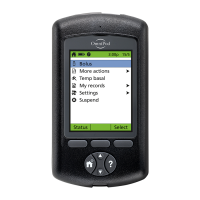
This guide is for PDM model CAT45E. The PDM model number is written on
the back cover of each PDM.
Nathaniel P.
PODDER
™
SINCE 2014


 To Next Page