16
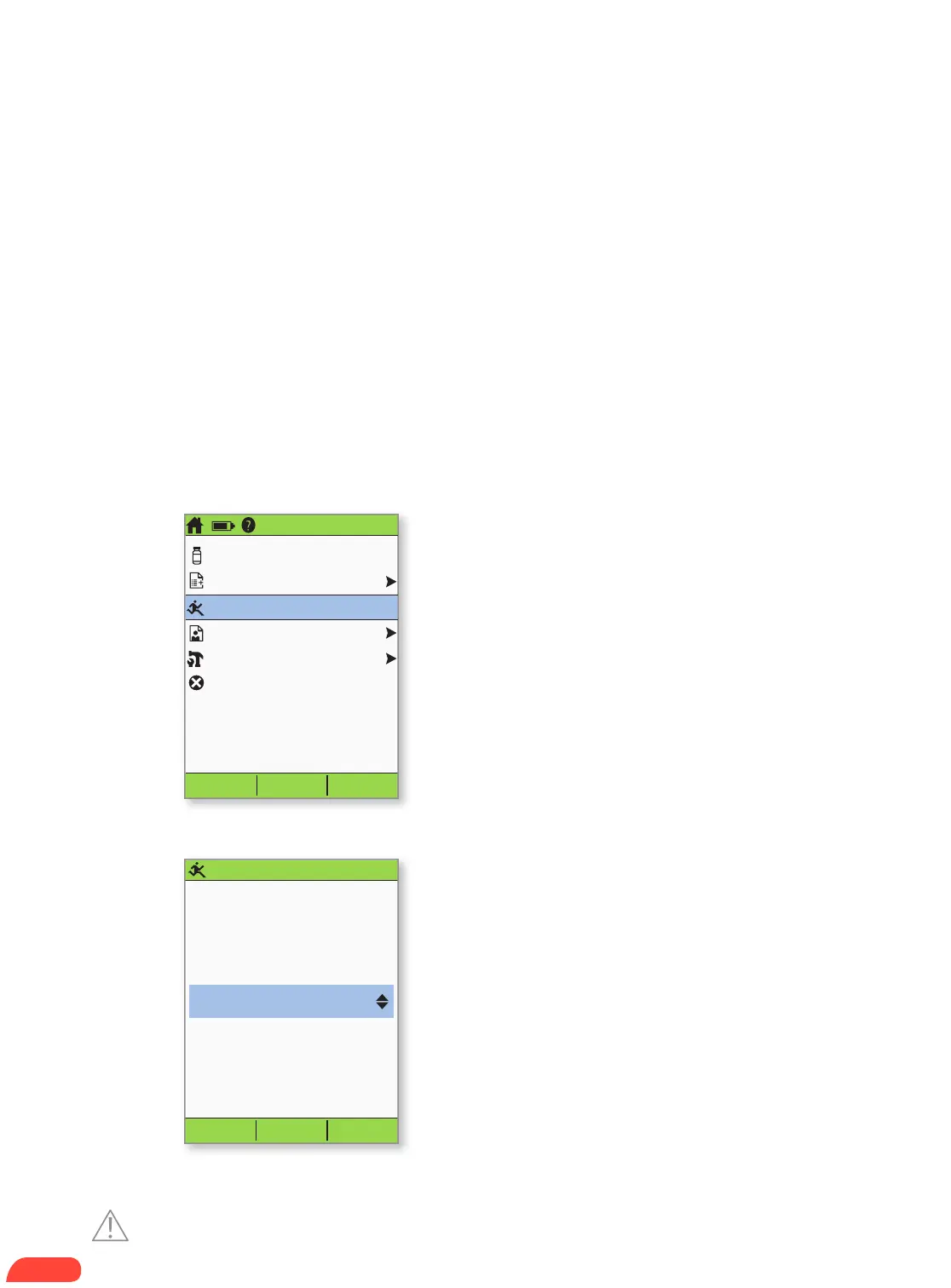
Status Select
3:00p 2/11
Bolus
More actions
Temp basal
My records
Settings
Suspend
Enter
Enter temp basal
change.
Back
+25%
This will temporarily
increase your basal rate.
3:00p 2/11
The basal rate refers to the steady dose of insulin the individual receives at all
times. You may need to:
+ Temporarily increase the basal rate in response to high blood sugar if, for instance, the
individual is ill or insulin delivery has been interrupted.
+ Temporarily decrease the basal rate prior to increased physical activity (physical
education or organized sports) or in response to low blood sugar that does not respond
to oral carbohydrates or other efforts.
The individual’s Diabetes Management Plan or healthcare provider should provide
the appropriate temp basal rates.
+ Turn on the PDM.
+ Press the Home/power button, then select
Temp basal.
+ If temporary basal rates are not part of the
individual’s Diabetes Management Plan,
the Temp basal option will not appear on
the screen.
+ Enter % change (or temp basal rate), then
press Enter (Shown here is an example of
a temporary basal increase. In this example,
25% MORE insulin will be delivered).
1.
2.
HOW TO ENTER A
TEMPORARY BASAL RATE.
Caution: Consult User Guide.


 To Next Page