11
ACTIVATE A NEW POD
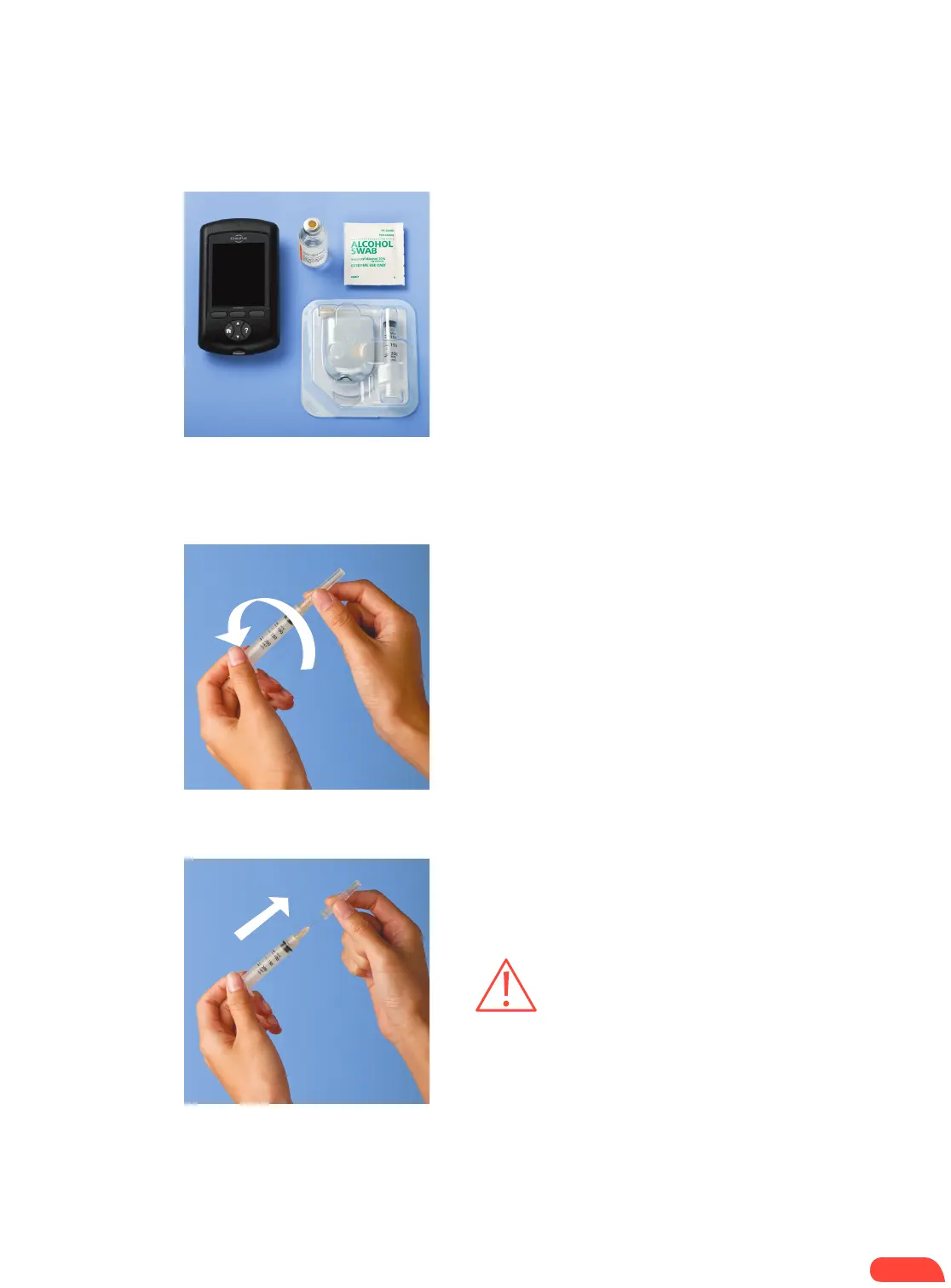
+ Assemble the following supplies:
• Vial of insulin at room temperature (U-100,
rapid-acting). See User Guide for insulins
approved for use with the Omnipod
®
System.
• One sealed Pod
• PDM
• Alcohol prep swab
+ Wash your hands.
+ Remove the Pod from its sterile packaging.
+ Use the alcohol prep swab to clean the top
of the insulin vial.
+ Assemble the fill syringe by twisting the
needle onto the syringe.
+ Remove the protective cap.
1.1
1. 2
STEP 1: FILL THE POD
CAUTION: Do not use any other type of
needle or filling device besides the syringe
provided with each Pod.
If the PDM screen times out during the process, press
and hold the Home/power button to continue.
HOW TO CHANGE THE POD


 To Next Page