8
Status Select
3:00p 2/11
Bolus
More actions
Temp basal
My records
Settings
Suspend
HOW TO CHANGE THE POD.
You may need to change the Pod:
+ When the reservoir is low or empty, or the Pod is nearing expiration
+ In response to an alarm
+ If the Pod has become dislodged
+ If the individual has a blood glucose reading of 13.9 mmol/L or more
and has moderate to large ketones
+ If you experience unexpected elevated blood glucose levels
+ As directed by your healthcare provider
+ If a Pod is active and fails to beep
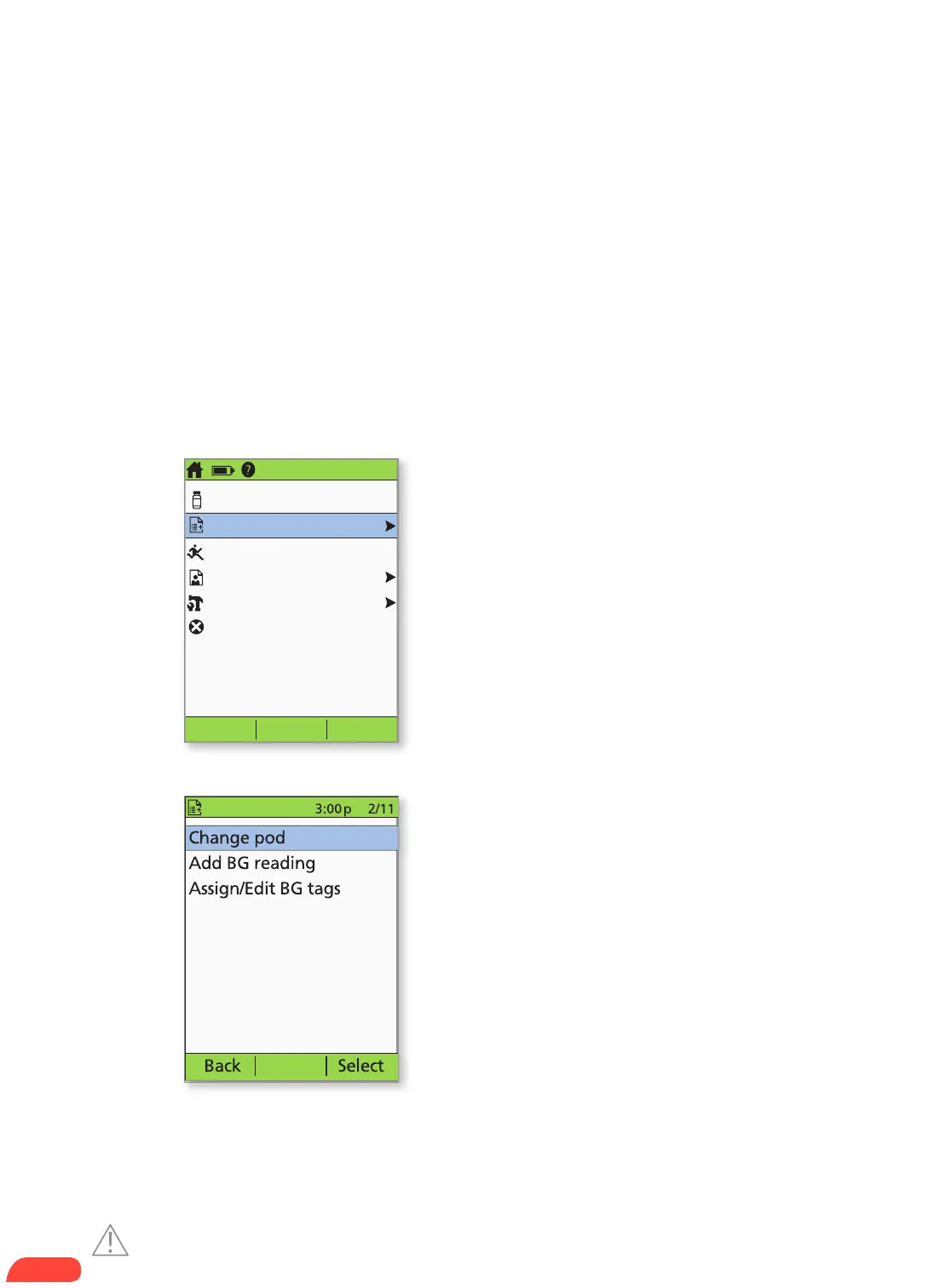
+ Turn on the PDM.
+ Press the Home/power button,
then select More actions.
+ Select Change pod.
2.
1.
Caution: Consult User Guide.


 To Next Page