7
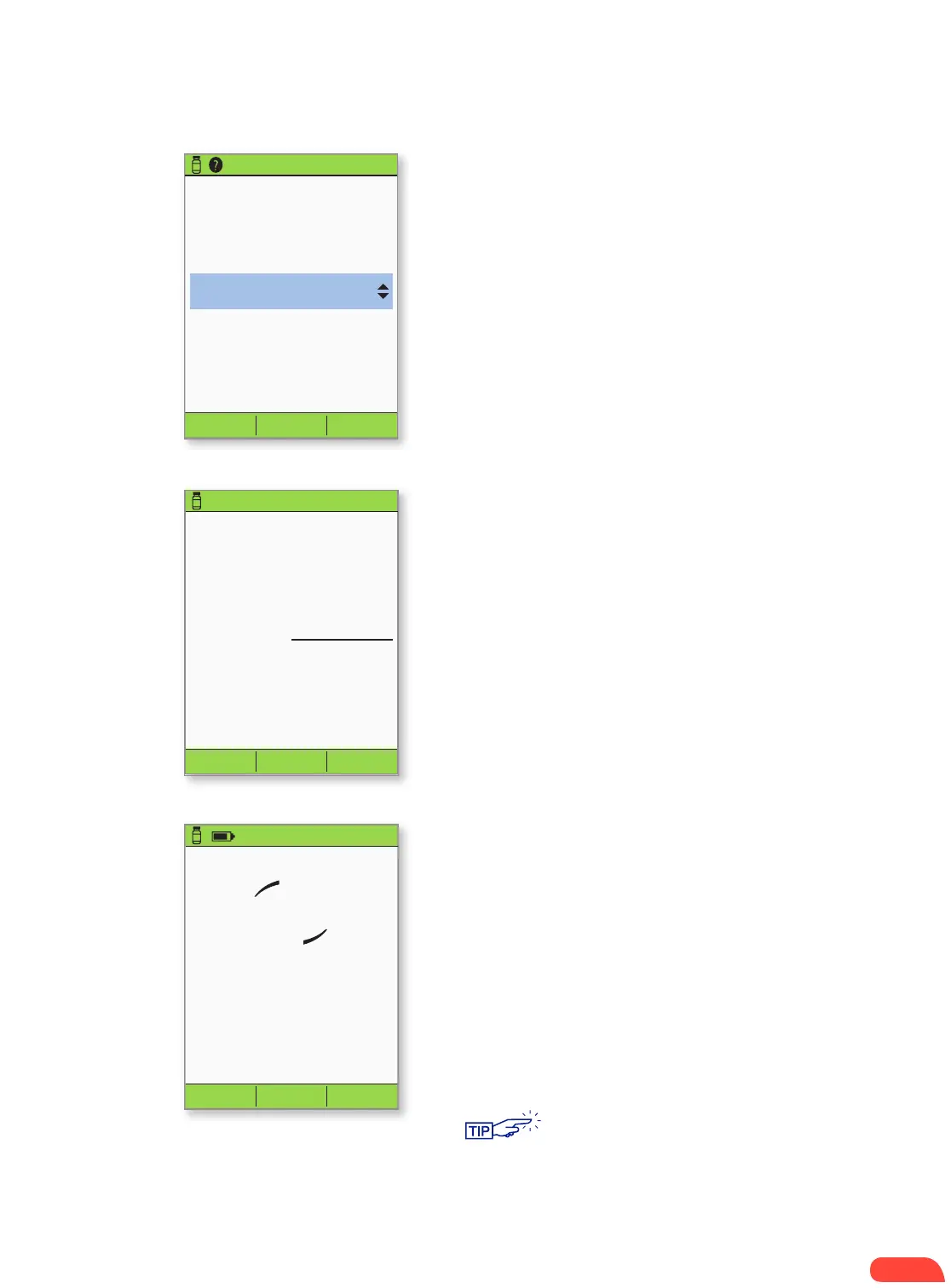
Suggested bolus: 5.00U
Carbs: 60
g
BG: 150mg/dL
Back Enter
5.00 U
3:00p 2/11
Extend
Suggested bolus: 5.00U
Carbs: 60 g
BG: 8.3 mmol/L
Back EnterExtend
5.00 U
3:00p 2/11
+ Press Enter to accept the suggested bolus.
OR
+ Press Extend and follow on-screen
instructions to deliver a portion/percentage
of the bolus immediately and the rest over
a set period of time. Only use the Extend
option when required by the individual’s
Diabetes Management Plan.
+ If extended boluses are not part of the
individual’s Diabetes Management Plan, the
Extend option will not appear on the screen.
8.
Start bolus?
Now:
Ext:
(0.0
hr)
Total:
Back Confirm
5.00 U
0.00
U
5.00 U
3:00p 2/11
Cancel
Delivering bolus
5.00 U
3:00p 2/11
+ The PDM screen will indicate when bolus delivery
has begun. If necessary, you may press Cancel to
stop a bolus while it is being delivered.
+ The individual does not need to remain near the
PDM during delivery. Delivery time varies based
on the size of the bolus dose.
+ Once bolus delivery begins, you may press and
hold the Home/power button to turn off the
PDM screen.
+ Press Confirm to start the bolus.
9.
10.
HOW TO CHECK BLOOD GLUCOSE AND DELIVER A BOLUS
Patient does not need to stay within the
communication distance of 1.5 meters during
the entire bolus delivery process. As soon as
the delivering bolus screen has shown up, the
PDM can be put away since the bolus has
begun to be delivered.


 To Next Page