15
3:00p 2/11
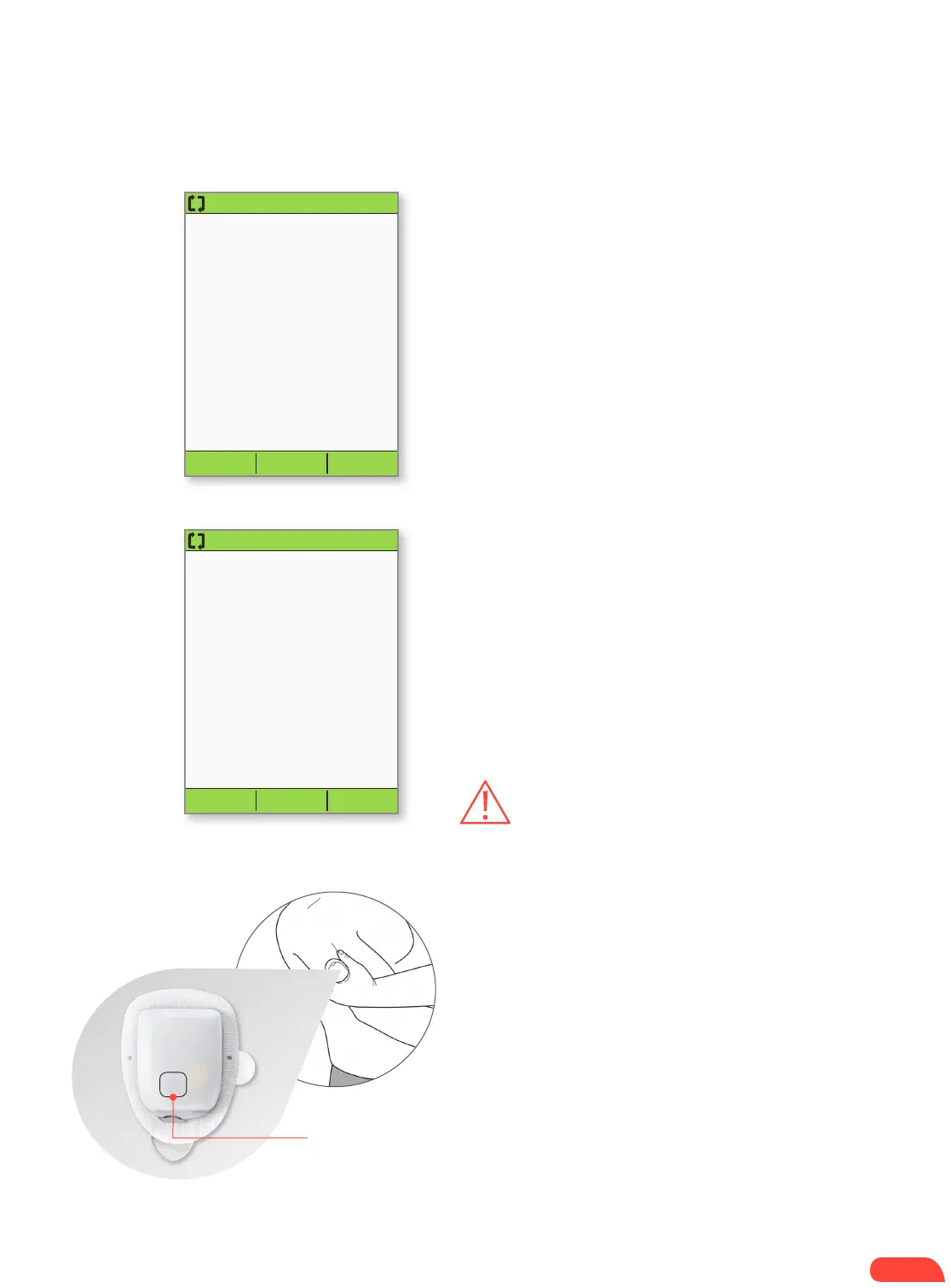
Press “Start” to insert
cannula and begin basal
delivery.
Start
+ Press Start. The Pod automatically inserts the
cannula and delivers a prime bolus to fill the
cannula with insulin. It takes a few seconds to
complete this process. Release the skin after
the cannula inserts.
3:00p 2/11
Pod is active.
“basal 1” has been
programmed.
Check infusion site and
cannula.
Is cannula properly
inserted?
No
Yes
+ Once complete, the PDM indicates that the Pod
is active and asks you to check the infusion site.
+ Look through the Pod’s viewing window to check
that the cannula is properly inserted. When you
see the pink slide insert in this position, it means
that the cannula is inserted (see image below).
Then press Yes .
3.2
3.1
STEP 3: PRESS START
WARNINGS:
NEVER inject insulin (or anything else) into
the fill port while the Pod is on the individual’s body. Doing
so may result in unintended or interrupted insulin delivery.
If you observe blood in the cannula, check the individual’s
blood glucose more frequently to ensure insulin delivery
has not been affected. If you observe unexpected elevated
blood glucose levels, change the Pod.
Check the infusion site after insertion to ensure that the
cannula was properly inserted. The individual should check
their blood glucose 1.5 to 2 hours after each Pod change
and check the infusion site periodically. If the cannula is not
properly inserted, hyperglycemia may result. Verify there
is no wetness or scent of insulin, which may indicate the
cannula has dislodged.
At least once a day, use the Pod’s viewing window to
check the site for signs of infection and to confirm that the
soft cannula is securely in place.
Be aware of the signs of infection, including pain, swelling,
redness, discharge, or heat at the site. If you suspect
an infection, immediately remove the Pod and apply a
new one in a different location. Then call the individual’s
healthcare provider.
If the PDM screen times out during the process, press
and hold the Home/power button to continue.
HOW TO CHANGE THE POD
Slide Insert (Pink)


 To Next Page