39 40
GS H n
[Name]
[Format]
[Description]
Select printing position of HRI characters.
ASCII
Hex
Decimal
Selects the printing position of HRI characters when printing a bar code.
n selects the printing position as follows:
ESC
1B
27
H
48
72
n
n
n
GS I n
[Name]
[Format]
[Range]
[Description]
Transmit printer ID.
ASCII
Hex
Decimal
1
<
n
<
3, 49
<
n
<
51
Transmits the printer ID specified by n as follows:
GS
1D
29
I
49
73
n
n
n
GS L nL nH
[Name]
[Format]
[Range]
[Description]
Set left margin.
ASCII
Hex
Decimal
1
<
nL
<
255
0
<
nH
<
255
Set the left margin using nL and nH.
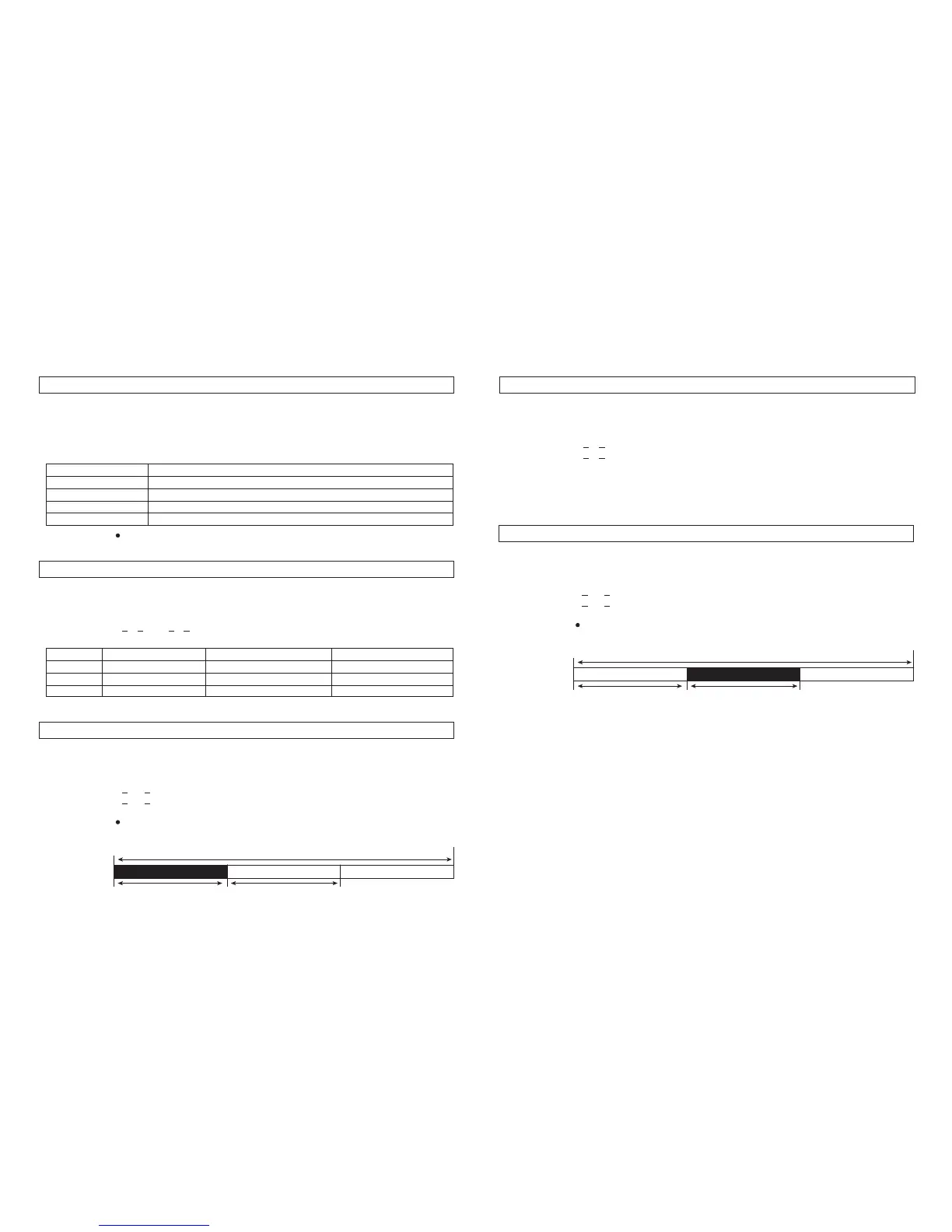
The left margin is set to [(nL + nH x 256) x horizontal motion unit)]
inches.
Printable area
Printing area widthLeft margin
GS
1D
29
L
4C
76
nL nH
nL nH
nL nH
0, 48
1, 49
2, 50
3, 51
n
Not printed.
Above bar code.
Below bar code.
Both above and below the bar code.
Printing postion
HRI indicates Human Readable Interpreatiion.
1, 49
2, 50
3, 51
n
Printer mode ID
Type ID
ROM version ID
Printer ID
STP130S/STP130P
Depends on ROM version
Specification
30
02
10
ID (hexadecimal)
GS P x y
[Name]
[Format]
[Range]
[Description]
Set horizontal and vertical motion units.
ASCII
Hex
Decimal
1
<
x
<
255
0
<
y
<
255
Sets the horizontal and vertical motion units to approximately 25.4/x mm
{1/x inch and} and approximately 25.4/y mm {1/y inches}, respectively.
When x and y are set to 0, the default setting of each value is used
GS
1D
29
P
50
80
x y
x y
x y
GS W nL nH
[Name]
[Format]
[Range]
[Description]
Set printing area width.
ASCII
Hex
Decimal
0
<
nL
<
255
0
<
nH
<
255
Set the printing area width to the area specified by nL and nH.
The printing area width is set to [(nL + nH x 256) x horizontal motion unit)]
inches.
Printable area
Printing area widthLeft margin
GS
1D
29
W
57
87
nL nH
nL nH
nL nH



 To Next Page