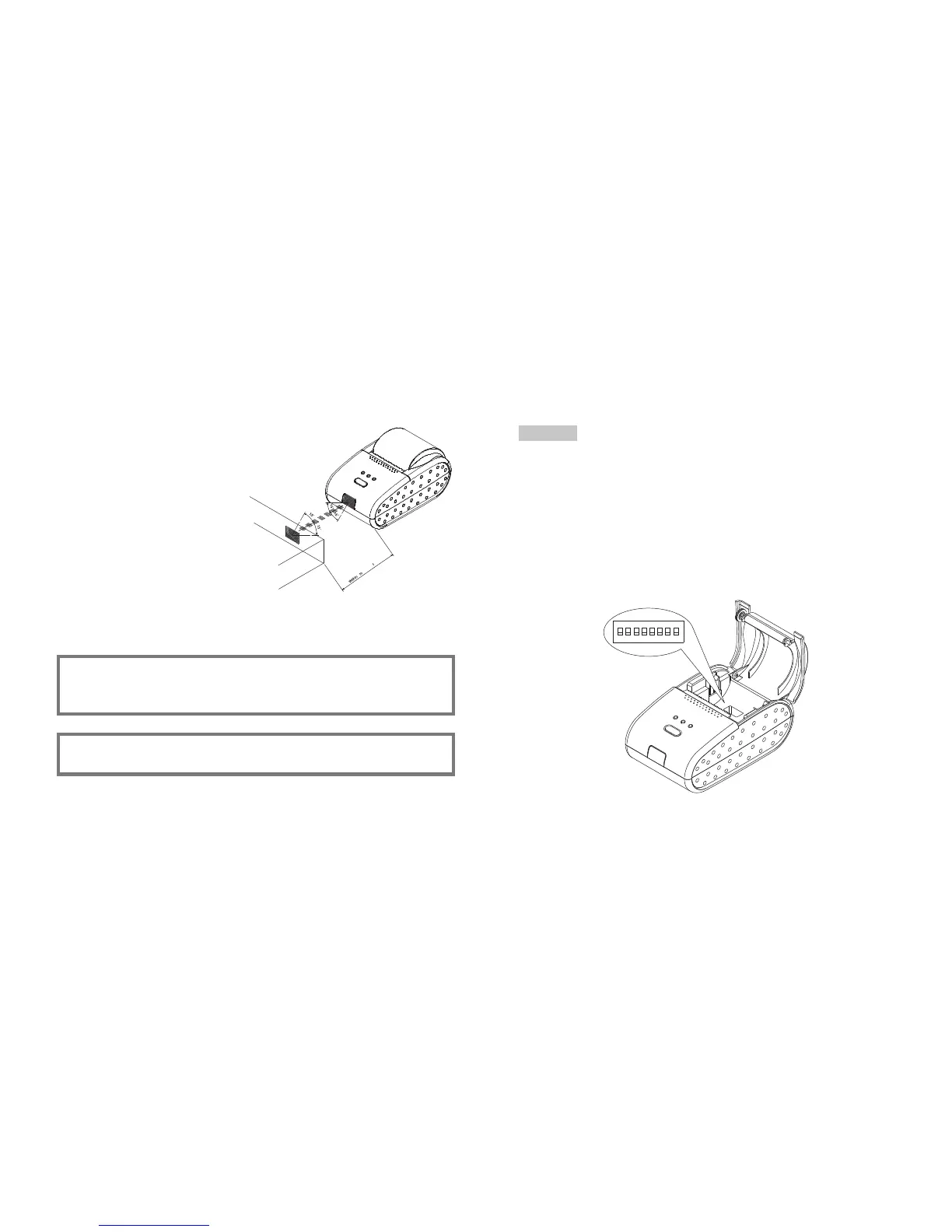
3-2. Infrared transmission by IrDA
(1) Turn the printer off.
(2) Turn the printer on without connecting the
interface cable to it.
(3) Place the IrDA transmitter/receiver of the
host computer and the IrDA transmitter
/receiver of the printer as shown in the
figure.
(4) Check the transmission status from the
host computer.
(5) Send data from the host computer of the
printer. Verify that the printer prints it
correctly.
HINT
The positions shown in the figure are for reference. The best positions
depend on the model and environmental conditions.
NOTE
The host computer must conform to IrDA (SIR1.0)
11 12
Chapter 4. Setting the DIP Switches
Turn off the printer while setting the DIP switch to prevent an electrical short, which can
damage the printer.
You can change your interface and printer density settings by changing the DIP switch
setting.
1. Make sure the printer is turned off.
2. There are a switch. Notice that ON is marked on each set of switches.
Use tweezers or another narrow tool to move the switches.
3. Use the following tables to set the DIP switches.
CAUTION
1 2 3 4 5 6 7 8
OA
ON
KSD06S



 To Next Page