EasyManua.ls Logo

Omron BP6100 - User Manual

Omron BP6100
35 pages
Print Icon
To Next Page IconTo Next Page
Loading...
INSTRUCTION MANUAL
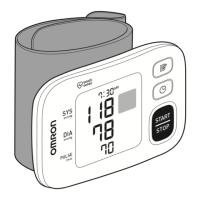
3 Series Wrist
Blood Pressure Monitor
Model BP6100
®
ENGLISH

Questions and Answers

  • M
    mgloverJul 30, 2025
    How to fix Omron BP6100 Blood Pressure Monitor when the wrist cuff does not inflate?
    • D
      Daniel VelezJul 30, 2025
      If the wrist cuff on your Omron Blood Pressure Monitor does not inflate, it could be due to incorrect application. Apply the wrist cuff correctly, then take another measurement. Another reason might be that air is leaking from the wrist cuff.
  • N
    nguyenkatherineAug 5, 2025
    What to do if Omron BP6100 turns off unexpectedly during a measurement?
    • W
      Wendy RamirezAug 5, 2025
      If your Omron Blood Pressure Monitor turns off unexpectedly during a measurement, it could be due to depleted batteries. Immediately replace all batteries with 2 new alkaline batteries. Alternatively, check the battery installation to ensure the polarities are properly aligned.
  • D
    Dawn WoodAug 11, 2025
    What to do if Omron BP6100 displays 'overinflated'?
    • P
      Patricia SimmonsAug 11, 2025
      If your Omron Blood Pressure Monitor displays an overinflation error, it means the wrist cuff is overinflated exceeding 300 mmHg. To resolve this, do not touch the wrist cuff while taking a measurement.
  • H
    Heather WilliamsAug 17, 2025
    Why does the Omron BP6100 Blood Pressure Monitor flash, indicating low batteries?
    • A
      Alejandra PerryAug 17, 2025
      The flashing battery symbol on your Omron Blood Pressure Monitor indicates that the batteries are low. It's recommended to replace all batteries with 2 new alkaline batteries.
  • R
    ricky78Aug 22, 2025
    What to do if Omron Blood Pressure Monitor displays 'move or talk during measurement'?
    • D
      Dennis NguyenAug 23, 2025
      If your Omron Blood Pressure Monitor displays an error related to movement or talking during measurement, it means that vibrations disrupted the reading. Remain still and do not talk during a measurement.

Summary

Introduction to the Blood Pressure Monitor

Safety Instructions for Use

Provides essential safety information for the proper use of the blood pressure monitor.

Important Safety Information

General Safety Warnings and Precautions

Highlights critical warnings about using the monitor on specific populations or in hazardous environments.

Consultation with Physician for Health Conditions

Advises consulting a physician for specific health conditions before using the monitor.

Cautionary Notes for Safe Operation

Details potential hazards and precautions to avoid minor injury or equipment damage during operation.

Getting to Know Your Monitor

Preparation for Blood Pressure Measurement

Applying the Wrist Cuff Properly

Detailed instructions on how to correctly apply the wrist cuff for measurement.

Ensuring Correct Sitting Posture

Guidance on proper posture and positioning for accurate blood pressure measurement.

How to Use Your Monitor

Taking a Blood Pressure Measurement

Step-by-step instructions on how to perform a blood pressure measurement using the monitor.

Using the Memory Function

Error Messages and Troubleshooting Guide

Troubleshooting Error Codes E1-E5 and Symbol Errors

Explains error codes E1-E5 and symbol errors, their causes, and solutions.

Troubleshooting Monitor Issues and Inaccuracies

Covers 'Er' errors, battery status, no power, and inaccurate readings with solutions.

Monitor Maintenance and Care

Product Specifications and Details

Omron BP6100 Specifications

General IconGeneral
BrandOmron
ModelBP6100
CategoryBlood Pressure Monitor
LanguageEnglish

Related product manuals