EasyManua.ls Logo

Omron BP654 - User Manual

Omron BP654
41 pages
Print Icon
To Next Page IconTo Next Page
Loading...
ESPAÑOL FRANÇAIS
ENGLISH
INSTRUCTION MANUAL
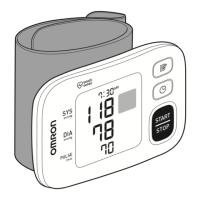
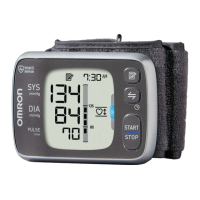
Model BP654
Wrist Blood
Pressure Monitor

Questions and Answers

  • B
    Brian TaylorAug 2, 2025
    Why can't I send data from my Omron Blood Pressure Monitor?
    • J
      Jennifer IrwinAug 2, 2025
      If you are experiencing issues with data transfer from your Omron Blood Pressure Monitor, several factors could be at play. First, ensure that the device you're sending data to isn't too far away; a distance within 16 ft (5 m) of the monitor is recommended, and check for any potential sources of interference. Also, verify that Bluetooth is enabled both on your destination device and on the monitor itself by pressing the / button. If you haven't already, perform the pairing (registration) process. Finally, confirm that the application on the destination device is ready to receive data. If the Err symbol persists after checking the application, no answer.
  • C
    Christopher BlackAug 9, 2025
    How to fix no power on Omron Blood Pressure Monitor?
    • R
      robertmortonAug 9, 2025
      If your Omron Blood Pressure Monitor isn't displaying anything and has no power, the first step is to replace both batteries simultaneously with new ones. Also, double-check that the batteries are installed correctly, paying close attention to the proper placement of the battery polarities. For detailed instructions, consult the “Battery Installation” section.
  • M
    mcclaingeorgeAug 16, 2025
    Why does my Omron Blood Pressure Monitor show high or low readings?
    • L
      Logan BensonAug 16, 2025
      Blood pressure readings can fluctuate due to various factors such as stress, time of day, cuff wrapping technique, and wrist positioning. Please review the sections “Before Taking a Measurement” and “Taking a Measurement” to ensure accurate readings with your Omron Blood Pressure Monitor.
  • C
    Christina RamosAug 25, 2025
    What to do if data cannot be sent from Omron BP654 Blood Pressure Monitor?
    • D
      Dale MitchellAug 25, 2025
      If data cannot be sent from your Omron Blood Pressure Monitor, ensure the destination device is within 16 ft (5 m) and free from interference. Verify that Bluetooth is enabled on both the destination device and the monitor by pressing the / button. Also, confirm that pairing (registration) has been completed by referring to “To Pair This Device With a Smartphone.” Finally, check that the application on the destination device is ready. If the Err symbol persists after checking the application, contact customer service.

Summary

Product Introduction and Safety Information

Introduction to the OMRON BP654 Monitor

Overview of the wrist blood pressure monitor, its features, and components.

Essential Safety Information

Essential safety guidelines, warnings, and precautions for using the blood pressure monitor.

General Usage and Precautions

Advice on general usage, battery handling, data transmission, and specific contraindications.

Device Setup and Measurement Preparation

Preparing for Measurement

Recommendations to ensure a reliable reading, including rest and avoiding certain activities.

Know Your Unit Components

Identification of the main unit parts and included components in the package.

Understanding the Unit Display

Explanation of the various symbols, indicators, and displays on the monitor screen.

Battery Installation and Settings

Step-by-step guide for battery installation and setting the date and time.

Measurement Procedures and Data Handling

Applying the Wrist Cuff

Detailed instructions for correctly applying the cuff on the left and right wrists.

Taking a Measurement

Guidance on posture, positioning, and initiating the blood pressure measurement process.

Using the Positioning Indicator

Explanation of the positioning indicator feature to ensure correct wrist height.

Using the Memory Function

How to view stored readings, average readings, and pair with a smartphone.

Data Transfer and Deletion

Procedures for transferring data to an app and deleting stored readings or settings.

Maintenance, Troubleshooting, and Specifications

Care and Maintenance Guidelines

Guidelines for cleaning, storing, and maintaining the monitor's condition.

Error Messages and Troubleshooting

Explanations of error symbols and steps to resolve common issues.

FCC;IC Statements and Trademarks

Regulatory compliance information, FCC statements, and trademark details.

Limited Warranty and Specifications

Details on warranty coverage, service, and technical specifications of the device.

Guidance and Manufacturers Declaration

Information regarding electromagnetic compatibility (EMC) and operational environment guidance.

Omron BP654 Specifications

General IconGeneral
BrandOmron
ModelBP654
CategoryBlood Pressure Monitor
LanguageEnglish

Related product manuals