15
2. Preparation
2.1 Installing Batteries
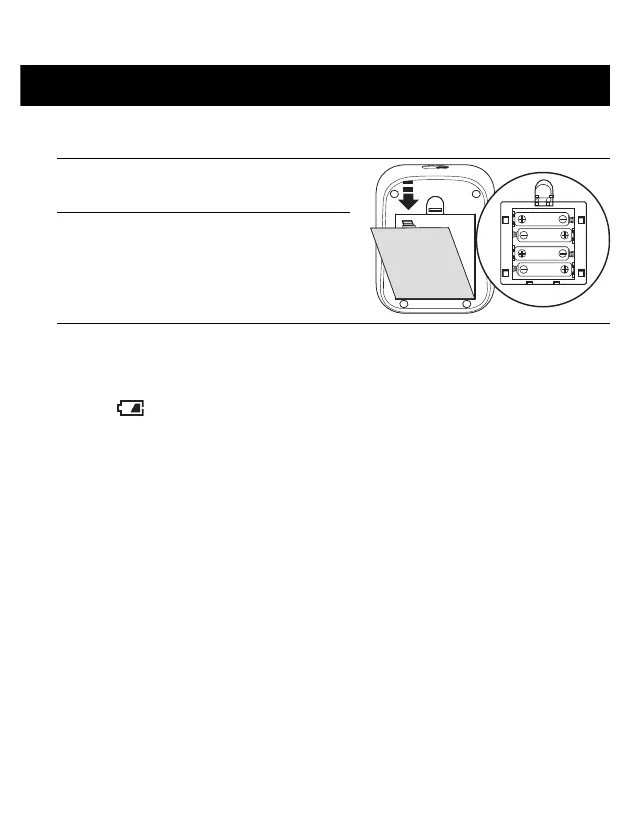
1. Remove the battery cover.
2. Insert 4 “AA” batteries as indicated
in the battery compartment.
3. Close the battery cover.
• When the “ ” symbol flashes on the display, it is recommended that you
replace the batteries.
• To replace the batteries, turn your monitor off and remove all batteries. Then
replace with 4 new batteries at the same time.
• Replacing the batteries will not delete previous readings.
• The supplied batteries may have a shorter life span than new batteries.
• Disposal of used batteries should be carried out in accordance with local
regulations.


 To Next Page