24
5. Using Memory Function
Your monitor automatically stores up to 30 readings.
This monitor tracks readings for 1 user. If you are sharing with another, manually
track your readings separately.
5.1 Viewing the Readings Stored in Memory
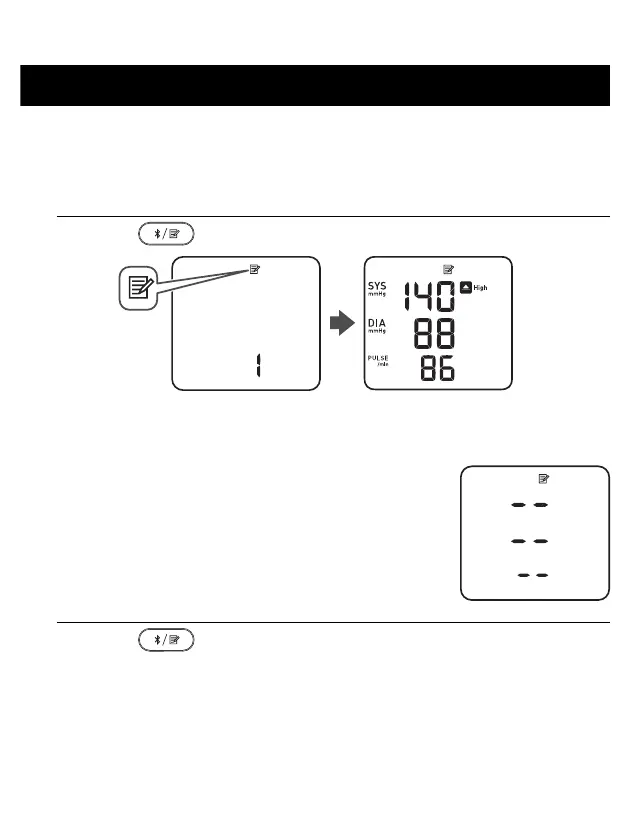
1. Press the button.
The Memory number appears for 2 seconds before the pulse rate is displayed.
The most recent reading stored in the memory will be numbered as “1”.
• If the reading was high (refer to sub-section 1.3),
“High” appears.
• If there are no readings stored in the memory, the
screen to the right is displayed.
• If the memory is full, new readings will replace the old
readings, starting with the oldest reading.
2. Press the button repeatedly to scroll through the previous
readings stored in the memory.


 To Next Page