29
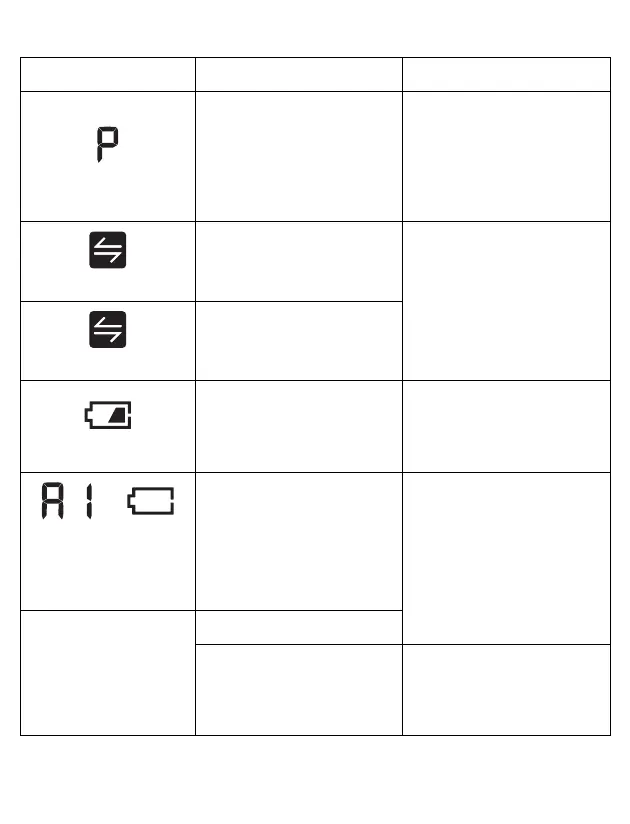
flashes
The monitor is waiting for
pairing with the smart
device.
Refer to sub-section 4.1 for
pairing your monitor with
your smart device, or press
the [START/STOP] button to
cancel pairing and turn your
monitor off.
flashes
More than 24 readings are
not transferred.
Pair or transfer your
readings to the app so you
can keep them in memory in
the app, and this symbol
disappears.
appears
30 readings are not
transferred.
flashes
Batteries are low.
Replacing all 4 batteries
with new ones is
recommended. Refer to
sub-section 2.1.
and
appears or the monitor
is turned off
unexpectedly during a
measurement.
Batteries are depleted.
Immediately replace all 4
batteries with new ones.
Refer to sub-section 2.1.
Nothing appears on the
display of the monitor.
Batteries are depleted.
Battery polarities are not
properly aligned.
Check the battery
installation for proper
placement. Refer to sub-
section 2.1.
Display/Problem Possible Cause Solution


 To Next Page