EasyManua.ls Logo

Omron DRT2 Series - User Manual

Omron DRT2 Series
8 pages
Print Icon
To Next Page IconTo Next Page
Loading...
1
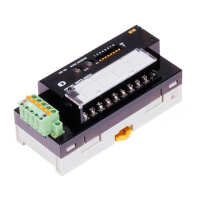
Smart DeviceNet Remote I/O Terminals
For more information, contact an Omron representative at 1-800-55-OMRON
Gather and Use Information for Effective
Preventive Maintenance
Get more useful data for preventive maintenance
when you build cost-effective parallel information
systems for control and maintenance using Omron’s
smart remote I/O terminals. These remote I/O
terminals include economical expansion units that let
you design a monitoring system for maintenance
information.
Smart Measuring and Smart Counting
These two functions take advantage of the intelligent
capabilities of DeviceNet. In Smart Measuring, the
remote I/O terminals convert machine operating time
and operational changes to data enabling monitoring
without increasing the load between controllers.
Smart Counting keeps track of the ON/OFF
operations and total operating time so preventive
maintenance can be scheduled based on service life
estimates. The operation counter and operating time
monitor functions cannot be used simultaneously.
What Device is Reporting Problems?
These slave units can hold comments such as device
number, type and location to shorten troubleshooting
by identifying fault locations and faulty devices. They
can also be used to monitor network communication
errors.
16-point input and output terminals, NPN or PNP
models with DeviceNet connection
Expansion terminals available in 8-point and 16-
point units
Input filter function eliminates noise from contact
bounce and, using OFF response time, can capture
pulses shorter than the communications time
Sensor inrush current protection delays accepting
input for 100 ms after input power turns on
Inputs powered by the network power supply
Compact size saves space in control panels
Network Power Monitor function
Question and Answer IconNeed help?

Do you have a question about the Omron DRT2 Series and is the answer not in the manual?

Omron DRT2 Series Specifications

General IconGeneral
I/O ClassificationDigital I/O
Output TypeTransistor (NPN or PNP depending on model)
Protection DegreeIP20
Operating Temperature-10 to 55 °C (with no icing or condensation)
Mounting MethodDIN Rail Mounting
Digital InputsYes
Digital OutputsYes
Current ConsumptionVaries by model
Storage Temperature-25 to 65°C (with no icing or condensation)
Insulation Resistance20 MΩ min. (at 500 VDC)
Vibration Resistance10 to 57 Hz, 0.075 mm amplitude, 57 to 150 Hz
Input TypeDC input
Number of Input Points8, 16, or 32 (depending on model)
Number of Output Points8, 16, or 32 (depending on model)
WeightVaries by model
Shock Resistance150 m/s^2, 3 times each in 6 directions
Humidity Range35% to 85% (with no condensation)

Summary

Gather and Use Information for Effective Preventive Maintenance

Smart Measuring and Smart Counting

What Device is Reporting Problems?

Features and Functions

Machine Operation Monitored by Slave

Monitors machine operation by collecting data from slave units.

Smart Measuring

Converts machine operating time and changes to data for monitoring.

Smart Counting

Tracks ON/OFF operations and total operating time for maintenance.

Faster Maintenance Work

Enables quick identification of fault locations and faulty devices using comments.

Easy-to-view Display

Provides clear display of maintenance information via configurator.

Operating Time Monitor Function

Contact Operation Counter Function

Energized Time Monitor Function

Unit Comment;Connected Slaves Function

Unit Command Function

Allows slave detection from Configurator by setting internal comments.

Connected Devices Comment Function

Sets comments for each input/output contact for quick device identification.

Network Startup

Easy Node Address Setting

Node addresses are set easily using rotary switches.

Automatic Baud Rate Recognition Function

Eliminates DIP switches with automatic baud rate recognition.

No Wiring Required for Units Internal Circuit Power Supply

Unit's internal circuits powered by network supply, eliminating extra wiring.

Network Power Voltage Monitor Function

I;O Power Status Monitor Function

Communication Error History Monitor Function

Improved Structural Flexibility

Smallest in Its Class

Offers compact size for space-saving in control panels.

Specifications

General Specifications

Lists general technical parameters like voltage, immunity, and environmental conditions.

Input Specifications

Details input voltage, current, delay times, and point counts for various models.

Output Specifications

Details output current, voltage, delay times, and point counts for various models.

Installation

Internal Circuit Diagrams

Provides internal circuit schematics for various I/O terminal models.

Wiring Diagrams

Illustrates wiring connections for basic and expansion I/O terminal units.

Dimensions (mm)

Remote I;O Terminal Basic Units

Shows dimensional drawings and model numbers for basic I/O terminal units.

Remote I;O Terminal Expansion Units

Displays dimensional drawings and model numbers for expansion I/O terminal units.

Ordering Information

Remote I;O Terminal Basic Units

Lists specifications and corresponding part numbers for basic I/O terminal units.

Remote I;O Terminal Expansion Units

Lists specifications and corresponding part numbers for expansion I/O terminal units.

Related product manuals