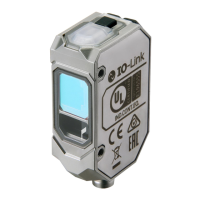
Lasersafetymeasuresforlaserequipmentarestipulatedbythecountryofuse.Follow
theinstructionsdescribedbelowcategorizedinfourcases.
・UsageinJapan
TheJISC6802:2014standardstipulatesthesafetyprecautionsthatusersmusttake
accordingtotheclassofthelaserproduct.Thisproductisclassifiedintoclass1defined
bythisstandard.
・UsageinU.S.
ThisproductissubjectedtotheU.S.FDA(FoodandDrugAdministration)laser
regulations.ThisproductisclassifiedintoClass1bytheIEC60825-1:2014standard
accordingtotheregulationsofLaserNoticeNo.56oftheFDAstandard.Thisproductis
alreadyreportedtoCDRH(CenterforDevicesandRadiologicalHealth).
AccessionNumber:1920014-001
WhenusingadeviceequippedwiththeproductintheU.S.,attachanFDAcertification
labelnearthesensormountedoncustomerequipment.
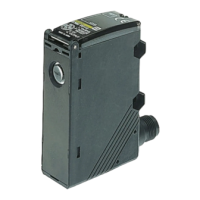
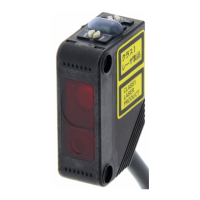
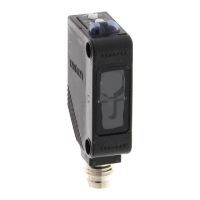
CMOSLaserSensor
ThankyouforselectingOMRONproduct.Thissheetprimarilydescribesprecautions
requiredininstallingandoperatingtheproduct.
Beforeoperatingtheproduct,readthesheetthoroughlytoacquiresufficient
knowledgeoftheproduct.Foryourconvenience,keepthesheetatyourdisposal.
PrecautionsforCorrectUse
Packagecontents
PrecautionsforSafeUse
Pleaseobservethefollowingprecautionsforsafeuseoftheproducts.
•DonotreverseconnectionofDCpowersupplypolarity.Donotconnect
toACpowersupply.
•Donotshort-circuittheload.
•NeverusethisproductwithACpowersupply.Otherwiseitmay
explode.
•Themaximumpowersupplyvoltageis30VDC.Beforeturningonthe
product'spower,makesurethatthesupplyvoltagedoesnotexceed
themaximumpowersupplyvoltage.
•Donotusetheproductinenvironmentswhereflammableorexplosive
gasesarepresent.
•Pleaseassessthesafetybeforehandwhenusingtheproductin
chemicalsand/oroilenvironments.
•Donotremodeltheproduct.
•Donottouchthemetalsurfacewithyourbarehandswhenthe
temperatureislow.Touchingthesurfacemayresultinacoldburn.
•Burninjurymayoccur.Theproductsurfacetemperaturerises
dependingonapplicationconditions,suchastheambienttemperature
andthepowersupplyvoltage.Attentionmustbepaidduring
operationorcleaning.
•Donothittheproductusingahammerforinstallation.
•Theproductmustbeinstalledwiththespecifiedtorqueorless.
ForM8connectorandPre-wiredM8connector,thepropertightening
torqueisfrom0.3to0.4N・m.
IncaseofM12Pre-wiredsmartclickconnector,manuallytightenthe
connector.
•Tighteningtorqueforthemountingholeis0.6N・morless(M3screw).
•Donotusetheproductinambientatmosphereorenvironmentexceeding
therating.
•Outputpulsesmaybegeneratedwhenthepoweristurnedoff.Itis
recommendedtoturnoffthepoweroftheloadorloadlinefirst.
•TheextensionofthecordunderthestandardI/Omodeshouldbe100m
orless.UndertheIO-Linkmode,thelengthshouldbe20morless.
•Donotpullthecordtoostrongly.
•Besuretoturnoffthepowersupplywhenconnectingordisconnecting
thecable.
•Waitforatleast600msafterturningontheproduct'spower.
•TheproductisratedasIP67butpleaseavoidusingtheproduct
underwater,underrain,andoutdoors.
•IftheSensorwiringisplacedinthesameconduitsorductsashigh-voltage
orhigh-powerlines,inductivenoisemaycausemalfunctionordamage.
Wirethecablesseparatelyoruseashieldedcable.
•Donotusetheproductindirectsunlight.
•Donotusetheproductwherehumidityishighanddewcondensation
mayoccur.
•Donotusetheproductwherecorrosivegasesmayexist.
•Useakeylocktopreventmalfunctionifhigh-pressurewashwaterorother
substancescomeintocontactwiththebutton.
•Donotapplyhigh-pressurewashingwaterdirectlytothesensor'slight
emitting/receivingsurfacefromashortdistance.Astheantifouling
featuremaybeimpaired,keepasufficientdistancefromthelightemitting
/receivingsurface.
•Donotusetheproductatalocationsubjecttoshockorvibration.
•Touseacommerciallyavailableswitchingregulator,FG(frameground)
mustbegrounded.
•Thisproductcannotbeusedasadetectiondeviceforhumanbody
protection.
•Donotuseorganicsolvents(e.g.paintthinnerandalcohol)forcleaning.
Otherwiseopticalpropertiesandprotectivestructuremaydeteriorate.
•Besuretochecktheinfluencecausedbysurroundingenvironmentssuch
asbackgroundobjectsand/orLEDlightingbeforeusingtheproduct.
•Donotexceed100,000writingoperationsoftheEEPROM(non-volatile
memory).SettinginformationiswrittentotheEEPROMwhenathreshold
valuechange,teaching,orzeroresetisexecuted.
Instructionsheet(thissheet),Compliancesheet,Indexlist(attachedfor
IO-Linktypeonly),FDAcertificationlabel,Warninglabel
INSTRUCTIONSHEET
Disposeinaccordancewithapplicableregulations.
Indicatesapotentiallyhazardoussituationwhich,ifnotavoided,
willresultinminorormoderateinjury,ormayresultinseriousinjury
ordeath.Additionallytheremaybesignificantpropertydamage.
Thisproductisnotdesignedorratedforensuringsafetyofpersons
eitherdirectlyorindirectly.Donotuseitforsuchpurpose.
WARNING
Donotusetheproductwithvoltageinexcessoftheratedvoltage.
Excessvoltagemayresultinmalfunctionorfire.
Indicatesapotentiallyhazardoussituationwhich,ifnotavoided,
mayresultinminorormoderateinjuryorinpropertydamage.
CAUTION
●MeaningofSignalWords
PRECAUTIONSONSAFETY
Tosafelyuselaserproducts
Itscomponentmaybedamagedand/ordegreeofprotectionmaybedegraded.
Pleasedonotapplyhighpressurewaterintensivelyatoneplaceduringcleaning.
WARNING
WARNING
CAUTION
FDAcertificationlabel
©
OMRONCorporation
2020
AllRightsReserved.
E3AS-HL150□/HL500□
ThefollowingnoticeappliesonlytoproductsthatcarrytheCEmark.
Notice:
ThisisaClassAproduct.Inresidentialareasitmaycauseradio
interface,inwhichcasetheusermayberequiredtobetakeadequate
measurestoreduceinterference.
LookingintotheOutgoinglightcontinuouslymaycausevisualimpairment.
DonotlookdirectlyintotheOutgoinglight.
Caution-Useofcontrolsoradjustmentsorperformanceofproceduresother
thanthosespecifiedhereinmayresultinhazardousradiationexposure
Attention-Lʼutilisationdescommandesouréglagesoulʼexécutiondes
procéduresautresquecellesspécifiéesdanslesprésentesexigences
peuventétrelacausedʼuneexpositionàunrayonnementdangereux
Donotdisassemblethisproduct.Doingsomaycauseexposureto
thebuilt-inlightsourcewhichcandamageeyesandskin.Never
disassembleit.
Manufacturer:
OmronCorporation,
ShiokojiHorikawa,Shimogyo-ku,
Kyoto600-8530JAPAN
TRACEABILITYINFORMATION:
ImporterinEU:
OmronEuropeB.V.
Wegalaan67-69
NL-2132JDHoofddorp,
TheNetherlands
Centeroflaserprojection
Warninglabel
Model
* 5 6 3 0 5 3 9 - 9 A *
1
・UsageinChina
ThisproductisclassifiedintoClass2bytheGB7247.1:2012(IEC60825-1:2007)standard.
WhenusingadeviceequippedwiththeproductinChina,attachaWarninglabelnear
thesensormountedoncustomerequipment.
・UsageincountriesotherthanU.S.andChina
ThisproductisclassifiedintoClass1bytheIEC/EN60825-1:2014standard.



 To Next Page
 General