
EasyManua.ls Logo

Omron E5GC - User Manual

Omron E5GC
440 pages
Print Icon
To Next Page IconTo Next Page
Loading...
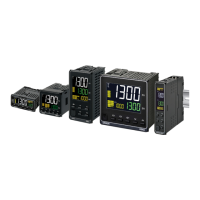
Digital Temperature Controllers
User’s Manual
E5@C
H174-E1-14
Appendices
Index
Preparations
Introduction
Advanced
Operations
Basic
Operation
Part Names and
Basic Procedures
User Calibration
Parameters
1
2
3
4
5
6
7
A
I

Table of Contents

Other manuals for Omron E5GC

Questions and Answers

  • S
    Sandra MeyersSep 23, 2025
    How to stabilize Omron Temperature Controller communication line after power interruption?
    • G
      griffithjessicaSep 23, 2025
      If the communications line became unstable when the Controller’s power was turned ON or interrupted, initialize the reception buffer in the host device before sending the first command.
  • S
    Sarah RomeroAug 23, 2025
    How to prevent Omron E5GC communication data corruption due to environmental noise?
    • R
      randallhernandezAug 25, 2025
      If the communications data is being corrupted by noise, try using a slower baud rate. Also, separate the communications cable from the source of the noise.
  • D
    David SchroederAug 25, 2025
    Why can't I always change set points on my Omron E5GC Temperature Controller?
    • K
      kirbyjustinAug 26, 2025
      If it's sometimes not possible to change the set points or RUN/STOP status on your Omron Temperature Controller, there may be noise interference. Connect terminating resistance to both ends of the communications line.
  • R
    Rebecca MitchellAug 27, 2025
    Why aren't the set points or RUN/STOP status changing for slaves on my Omron Temperature Controller?
    • J
      Jennifer ButlerAug 27, 2025
      If the set points or the RUN/STOP status will not change for any of the slaves, check that: * The wiring to the master (i.e., the Controller with communications unit number 0) is not correct. * The communications settings in the master are not correct.
  • J
    Jamie TaylorAug 27, 2025
    Why are communications not possible with my Omron Controller?
    • C
      clarksteveAug 27, 2025
      Communications issues with your Omron Controller may arise if a non-recommended adapter is being used. Ensure that the connected device is not faulty.
  • H
    Heidi MyersSep 15, 2025
    How to resolve duplicate unit number on Omron Temperature Controller communication line?
    • D
      Dennis GarrettSep 15, 2025
      If the same unit number as the Controller is being used for another node on the same communications line, set each unit number for only one node.
  • L
    Lisa MillsSep 12, 2025
    What to do if the Interface Converter isn't receiving the specified power supply voltage for Omron E5GC Temperature Controller?
    • C
      Cory SandersSep 12, 2025
      If the specified power supply voltage is not being supplied to an Interface Converter (e.g., the K3SC), supply the specified power supply voltage.
  • J
    jason14Sep 14, 2025
    How to resolve unit number mismatch on Omron E5GC Temperature Controller?
    • J
      Jennifer SmithSep 14, 2025
      If the unit number specified in the command frame is different from the unit number set for the Controller, use the same unit number.
  • S
    Steven WilsonSep 5, 2025
    What type of communication cable should I use for Omron E5GC Temperature Controller?
    • M
      Michelle LopezSep 5, 2025
      If the wrong communications cable has been used for your Omron Temperature Controller, use shielded twisted-pair cable for the communications cable.
  • J
    Juan GraySep 2, 2025
    How to synchronize baud rate and communication method on Omron Temperature Controller?
    • J
      John PopeSep 3, 2025
      If the same baud rate and communications method are not being used by all of the Controllers, host devices, and other nodes on the same communications line, set the same values for the following on all nodes: baud rate, protocol, data length, stop bits, and parity.

Summary

Safety Precautions

Precautions for Safe Use

Installation Precautions

Preparations for Use

Wiring

Outlines essential precautions and specifications for proper terminal wiring of the digital controller.

Introduction

Preparations

Installation

Provides dimensional data and panel cutout information for installing the E5CC, E5EC, E5AC, E5DC, and E5GC models.

Using the Terminals

Explains terminal arrangements and wiring examples for various E5CC, E5EC, E5AC, E5DC, and E5GC models.

Basic Operation

Setting the Input Type

Explains how to set the correct input type to match the connected sensor for accurate measurements.

Determining PID Constants

Explains how to automatically or manually set PID constants for optimal control performance.

Advanced Operations

Parameters

Adjustment Level

Covers parameters for PID control, tuning, and other advanced adjustments that affect control performance.

Initial Setting Level

Outlines the essential settings required for basic controller configuration, including input and output assignments.

Advanced Function Setting Level

Details advanced settings for optimizing controller performance, such as logic operations and communication parameters.

User Calibration

Calibrating Inputs

Explains the process for calibrating various input types, including thermocouples and analog signals.

Appendices

Error Displays

Explains common error codes displayed by the controller and provides troubleshooting steps for resolution.

Troubleshooting

Offers solutions for frequently encountered problems and guides users on checking common issues.

Omron E5GC Specifications

General IconGeneral
BrandOmron
ModelE5GC
CategoryTemperature Controller
LanguageEnglish

Related product manuals










