
EasyManua.ls Logo

Omron E5GC - User Manual

Omron E5GC
440 pages
Print Icon
To Next Page IconTo Next Page
Loading...
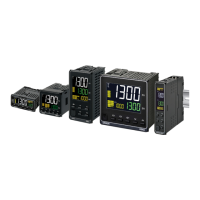
Digital Temperature Controllers
User’s Manual
E5@C
H174-E1-14
Appendices
Index
Preparations
Introduction
Advanced
Operations
Basic
Operation
Part Names and
Basic Procedures
User Calibration
Parameters
1
2
3
4
5
6
7
A
I

Table of Contents

Other manuals for Omron E5GC

Questions and Answers

  • L
    Lauren RamirezSep 9, 2025
    How to set an end node for Omron E5GC communication line?
    • C
      Christina PatrickSep 9, 2025
      If an end node has not been set at each end of the communications line on your Omron Temperature Controller, set or connect terminating resistance at each end of the line.
  • V
    Vanessa RogersSep 7, 2025
    How long to wait before sending the next command to Omron E5GC?
    • R
      Robert StevensSep 7, 2025
      If the host device sent the next command too soon after receiving a response from the Controller, wait for at least 2 ms after receiving a response before sending the next command.
  • D
    Daniel WhiteAug 22, 2025
    What to do if temperature error is large on Omron Controller (S.Err display)?
    • B
      Brett BlakeAug 22, 2025
      If you are seeing a large temperature error or an S.Err display on your Omron Controller, it may indicate an input type mismatch. Check the sensor type and reset the input type correctly.
  • S
    Steven WilsonSep 5, 2025
    What type of communication cable should I use for Omron E5GC Temperature Controller?
    • M
      Michelle LopezSep 5, 2025
      If the wrong communications cable has been used for your Omron Temperature Controller, use shielded twisted-pair cable for the communications cable.
  • L
    Louis LucasSep 4, 2025
    What is the maximum length of the communication cable for Omron Temperature Controller?
    • L
      lwatsonSep 4, 2025
      If the communications cable is too long for your Omron Temperature Controller, remember that the total cable length is 500 m maximum for RS-485 communications.
  • J
    Juan GraySep 2, 2025
    How to synchronize baud rate and communication method on Omron Temperature Controller?
    • J
      John PopeSep 3, 2025
      If the same baud rate and communications method are not being used by all of the Controllers, host devices, and other nodes on the same communications line, set the same values for the following on all nodes: baud rate, protocol, data length, stop bits, and parity.
  • K
    Kelly ChristianSep 1, 2025
    What to do if the Omron E5GC Temperature Controller communication cable is broken?
    • E
      Emma WilliamsSep 1, 2025
      If the communications cable is broken on your Omron Temperature Controller, replace the cable.
  • C
    Cindy RoseAug 31, 2025
    Why is the communication indicator on my Omron Temperature Controller PLC not lit?
    • C
      carol73Aug 31, 2025
      If the communications indicator on the PLC is not lit, it could be due to several reasons: * The power supply is not turned ON to the E5@C Controller with communications unit number 0. * The wiring is not correct. * The communications settings are not the same between the PLC and the E5@C. * The E5@C was moved to the initial setting level (setting area 1). * Check the cycle time of the PLC. If it is longer than the value set for the Receive Data Wait Time parameter, change the set value of this parameter so that it is longer than the cycle time.
  • S
    Sean GreenAug 30, 2025
    What to do if the Omron E5GC Temperature Controller communication line is disconnected?
    • N
      Nicholas MayerAug 30, 2025
      If the communications line has become disconnected on your Omron Temperature Controller, connect the communications line securely and tighten the screws.
  • M
    marie92Aug 28, 2025
    How to fix incorrect communications wiring on Omron E5GC?
    • S
      Steven AndersonAug 28, 2025
      If the communications wiring is not correct on your Omron Temperature Controller, correct the wiring.

Summary

Safety Precautions

Precautions for Safe Use

Installation Precautions

Preparations for Use

Wiring

Outlines essential precautions and specifications for proper terminal wiring of the digital controller.

Introduction

Preparations

Installation

Provides dimensional data and panel cutout information for installing the E5CC, E5EC, E5AC, E5DC, and E5GC models.

Using the Terminals

Explains terminal arrangements and wiring examples for various E5CC, E5EC, E5AC, E5DC, and E5GC models.

Basic Operation

Setting the Input Type

Explains how to set the correct input type to match the connected sensor for accurate measurements.

Determining PID Constants

Explains how to automatically or manually set PID constants for optimal control performance.

Advanced Operations

Parameters

Adjustment Level

Covers parameters for PID control, tuning, and other advanced adjustments that affect control performance.

Initial Setting Level

Outlines the essential settings required for basic controller configuration, including input and output assignments.

Advanced Function Setting Level

Details advanced settings for optimizing controller performance, such as logic operations and communication parameters.

User Calibration

Calibrating Inputs

Explains the process for calibrating various input types, including thermocouples and analog signals.

Appendices

Error Displays

Explains common error codes displayed by the controller and provides troubleshooting steps for resolution.

Troubleshooting

Offers solutions for frequently encountered problems and guides users on checking common issues.

Omron E5GC Specifications

General IconGeneral
BrandOmron
ModelE5GC
CategoryTemperature Controller
LanguageEnglish

Related product manuals










