19
EASY STEPS TO GET STARTED WITH YOUR THERAPY
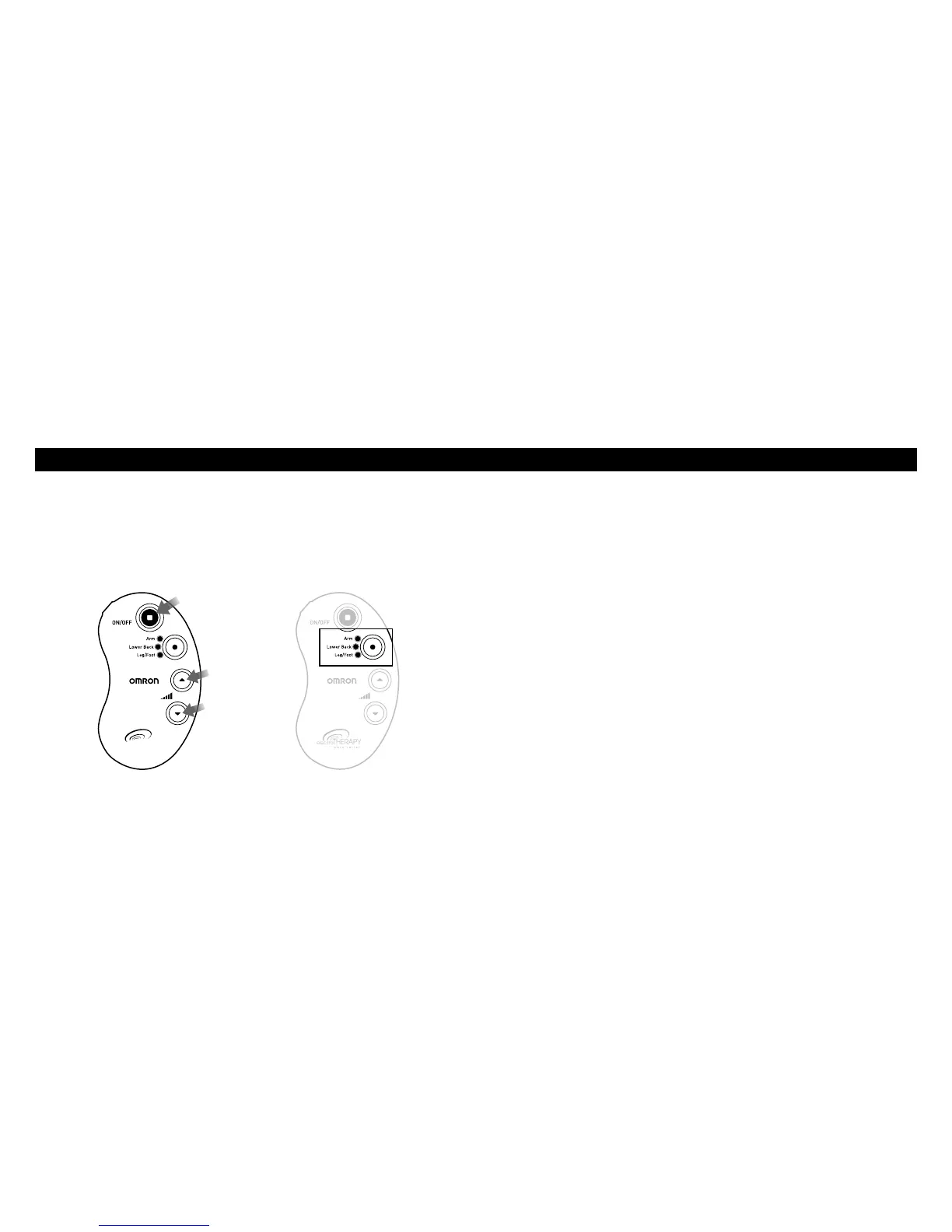
STEP 2 – SELECT 1 OF 3 PROGRAMS
• Push“ON”andthedefaultprogram“blinks”(devicedefaultsto
the last program at the lowest intensity level).
• Personalizeyourtherapybypushingtheorangecirclebuttonto
apre-setprogram(1.Arm2.LowerBack3.Leg/Foot).
How do you switch programs?
Each time you push the orange circle button, it switches to the
next program at the lowest intensity level. Depending on the
program, you will feel a gentle combination of tapping, kneading
or pulsing sensations that vary in pulse speed.
How to select the right program
Select the program that feels right for your unique pain. The
programs are interchangeable and may be used for more than one
body part.
electro
THERAPY
p ain re l ief
Increase
intensity
Lower
intensity
Push
“ON”
electro
THERAPY
p ain re l ief


 To Next Page