4
Using Tool
FZ4 User's Manual Using Account Functions 141
2.
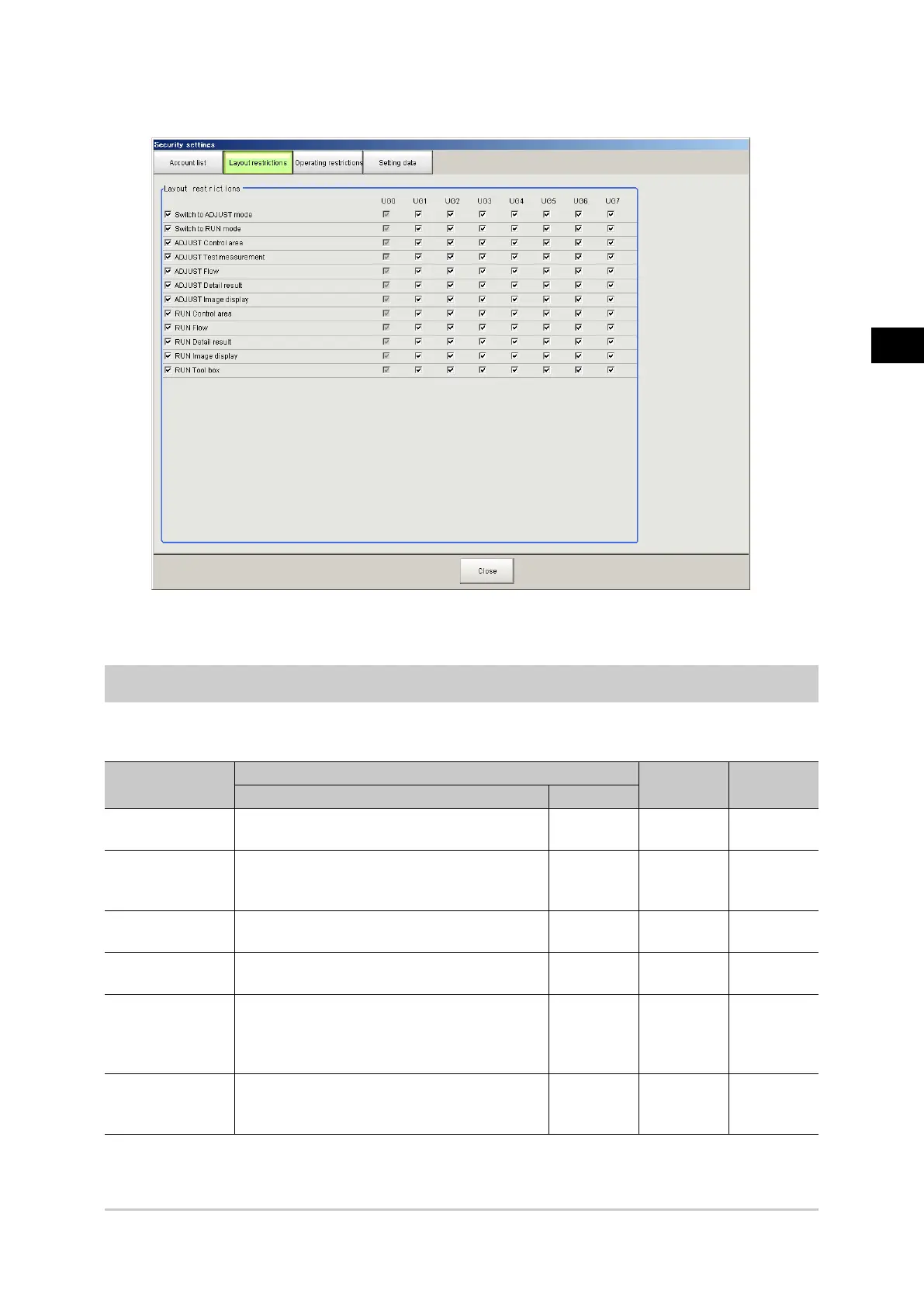
In the Item tab area, tap [Layout restrictions].
3.
Change the layout restriction settings.
4.
Tap [Close].
Setting User Group Operation Restrictions
You can restrict the functions that can be operated by each user group.
The operations that can be restricted are as follows.
Security setting
items
ADJUST Window
RUN Other
Menu bar Other
Edit flow Scene > Edit flow
Edit Flow
buttons
Scene switch Scene > Scene switch
Scene
switch
button
Tool box >
Scene
switch
Scene group
switch
Scene > Scene switch > Switch
Scene
maintenance
Scene > Scene maintenance
Unit setting Scene > Unit setting
Flow display
unit click
Flow display
unit click
Open setting
window on
Edit Flow
window
Measurement flow
display size
change
Display > Display the enlarged flow
Acesst 1.0 6251194



 To Next Page