EasyManua.ls Logo

Omron GO SMART HJ-203 - User Manual

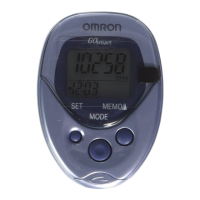
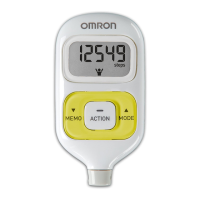
Omron GO SMART HJ-203
15 pages
Print Icon
To Next Page IconTo Next Page
Loading...
INSTRUCTION MANUAL
Pocket Pedometer with
ACTIVITY TRACKER
Model HJ-203
Before Using the Unit
Introduction.................................................... 1
Special Features ............................................. 2
Important Safety Information ....................... 3
Know Your Unit ............................................ 5
Settings .......................................................... 6
Battery Life ................................................. 10
Battery Replacement ................................... 11
Operating Instructions
Attaching the Unit ....................................... 13
Reading the Current Display ....................... 15
Activity Tracker ........................................... 16
Reading the Activity Tracker Display.......... 17
Memory Function ........................................ 18
Procedures for the Memory Function .......... 19
Care and Maintenance
Care and Maintenance ................................ 22
Troubleshooting Tips .................................. 23
Specications .............................................. 24
FCC Statement ............................................ 25
Limited Warranty ......................................... 26

Questions and Answers

  • T
    Timothy GrossJul 30, 2025
    Why does the low battery indicator blink on my Omron Pedometer?
    • A
      Adriana BarnesJul 30, 2025
      The low battery indicator blinking or appearing continuously on your Omron Pedometer means the battery is either low or completely worn out. Replace it with a new CR2032 battery.
  • M
    Melissa JamesAug 7, 2025
    What to do if nothing is displayed on my Omron GO SMART HJ-203 Pedometer screen?
    • M
      Martha BauerAug 7, 2025
      If nothing is displayed on your Omron Pedometer, it could be due to several reasons: the battery saving mode might be active, try pressing any button. The battery polarities might be aligned incorrectly; ensure the + and - are correctly aligned. Or, the battery may be worn out, and you should replace it with a new CR2032 battery.
  • B
    Brian MoyerAug 14, 2025
    Why are the displayed values incorrect on my Omron GO SMART HJ-203?
    • D
      danielnguyenAug 14, 2025
      Incorrect displayed values on your Omron Pedometer can be caused by two things. First, the unit might be positioned incorrectly. Second, the set values may be wrong, so check the settings.
  • A
    adamcooperAug 22, 2025
    What to do if the display is unusual or the buttons do not operate normally on my Omron GO SMART HJ-203 Pedometer?
    • S
      sanchezsarahAug 22, 2025
      If the display is unusual or the buttons aren't working correctly on your Omron Pedometer, try replacing the battery with a new one (CR2032).

Summary

Important Safety Information

Safety Symbols and Operating Precautions

Explains safety symbols and provides guidelines for safe operation and use.

General Safety and Maintenance Warnings

Covers intended use, handling, battery safety, and maintenance precautions.

Unit Overview and Settings

Initial Settings Procedure

Guides on pressing the SET button and setting the hour for the unit.

Detailed Settings Configuration

Setting Time and Weight

Step-by-step instructions for setting the current minute and user's weight.

Battery Replacement Process

Removing Battery Cover and Battery

Detailed steps on how to safely open the unit and remove the battery.

Inserting and Securing New Battery

Instructions for correctly inserting a new battery and closing the cover.

Attaching the Unit and Step Counting Accuracy

Displaying Data and Activity Tracker

Activity Data and Memory Function

Care and Maintenance Guidelines

Troubleshooting and Specifications

Troubleshooting Common Issues

Solutions for battery indicator, display, and button operation problems.

Omron GO SMART HJ-203 Specifications

General IconGeneral
TypePedometer
Step CountYes
Distance MeasurementYes
Calorie CountYes
Memory FunctionYes
DisplayLCD
MemoryUp to 7 days
Measurement Range0 to 99, 999 steps
Battery TypeCR2032
Water ResistanceNo
Battery LifeApproximately 6 months
Measurement Accuracy±5%

Related product manuals