EN
EN19
2. Preparation
2.1
Installing Batteries
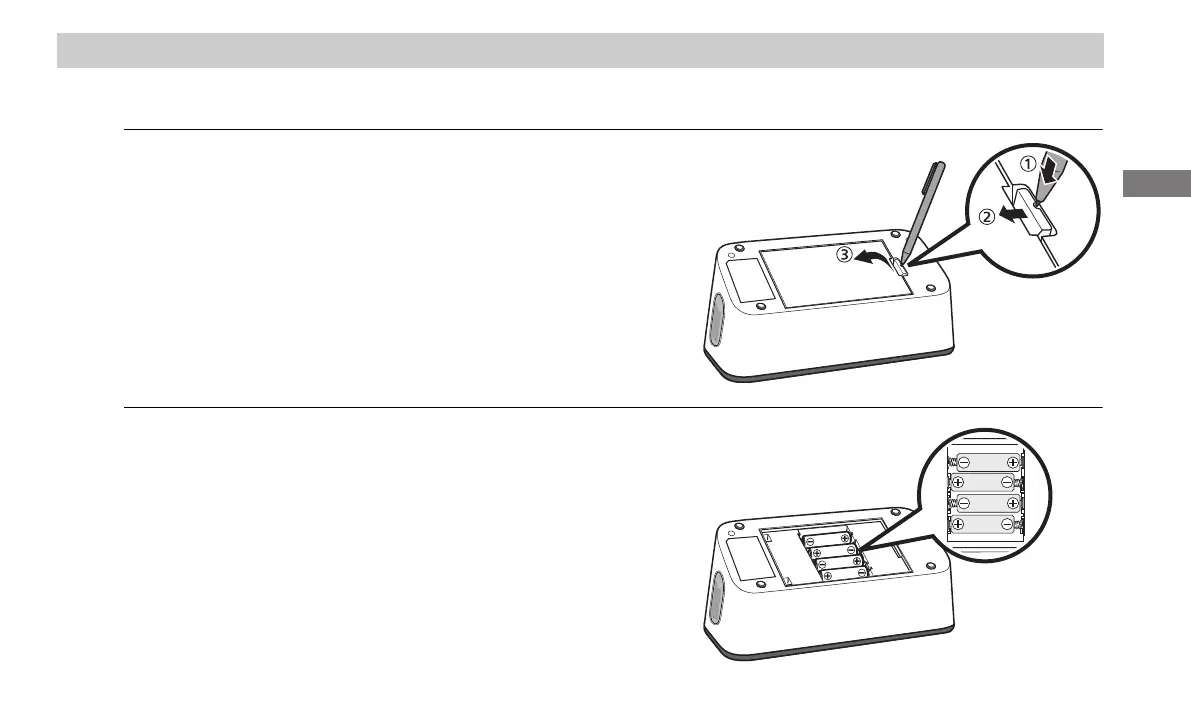
1. Insert a thin object such as the tip of a pen or a
thin screwdriver, in the hole of the battery cover
hook. Push the hook horizontally, then pull it
upward as shown in the image.
Note
• When using a thin object, be careful not to get yourself injured.
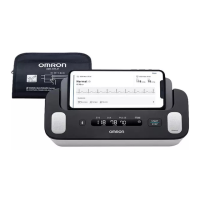
2. Insert 4 “AA” alkaline batteries as indicated in
the battery compartment.
3294330-0B_HEM-7530T-AP3-EN_IM.book Page 19 Thursday, June 2, 2022 11:30 AM


 To Next Page