EN
EN43
9. Tracking Your Memory in the App
For tracking your memories, open the “OMRON connect” app and follow the instructions.
9.1
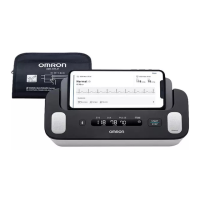
Tracking Your ECG Recordings
1. Tap the “Electrocardiogram” section on the Home screen to see a list of all ECG
recordings on your smartphone (excluding any previously deleted).
2. Tap the ECG recording you wish to view.
Note
• The “OMRON connect” app has the function of emailing, printing and deleting ECG recordings. When you use these functions,
refer to the guidance on the app.
9.2
Tracking Your Blood Pressure Readings
1. Tap the “Blood Pressure” section on the Home screen to see all blood pressure
readings on your smartphone (excluding any previously deleted).
Note
• Stored blood pressure readings cannot be viewed on the BP reading display of the monitor. You can view your blood pressure
readings on the app after transferring.
3294330-0B_HEM-7530T-AP3-EN_IM.book Page 43 Thursday, June 2, 2022 11:30 AM


 To Next Page