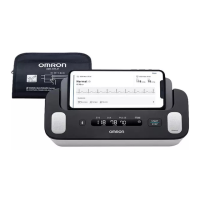
3. Taking a Blood Pressure Measurement and Recording an ECG
EN32
7. Release both of your hands from the electrodes and remove the arm cuff.
Note
• After taking a blood pressure measurement and recording an ECG, you can promptly add tags such as symptoms, activities or
personalized notes on the app.
8. Press the BP [START/STOP] button to turn your monitor off.
Note
• Your monitor will automatically turn off after 2 minutes.
• Wait 2-3 minutes between blood pressure measurements. The wait time allows the arteries to decompress and return to their
pre-measurement state. You may need to increase the wait time depending on your individual physiological characteristics.
• Your monitor stores up to 90 blood pressure readings in the internal memory, but the previous readings cannot be viewed on the
monitor.
• If your systolic blood pressure is more than 210 mmHg, take a blood pressure measurement manually. Refer to section 7.
• When Bluetooth is enabled, the blood pressure readings will be transferred to your smartphone within 1 hour after taking a blood
pressure measurement. If you need to transfer the blood pressure readings manually, refer to section 6.
3294330-0B_HEM-7530T-AP3-EN_IM.book Page 32 Thursday, June 2, 2022 11:30 AM


 To Next Page