13
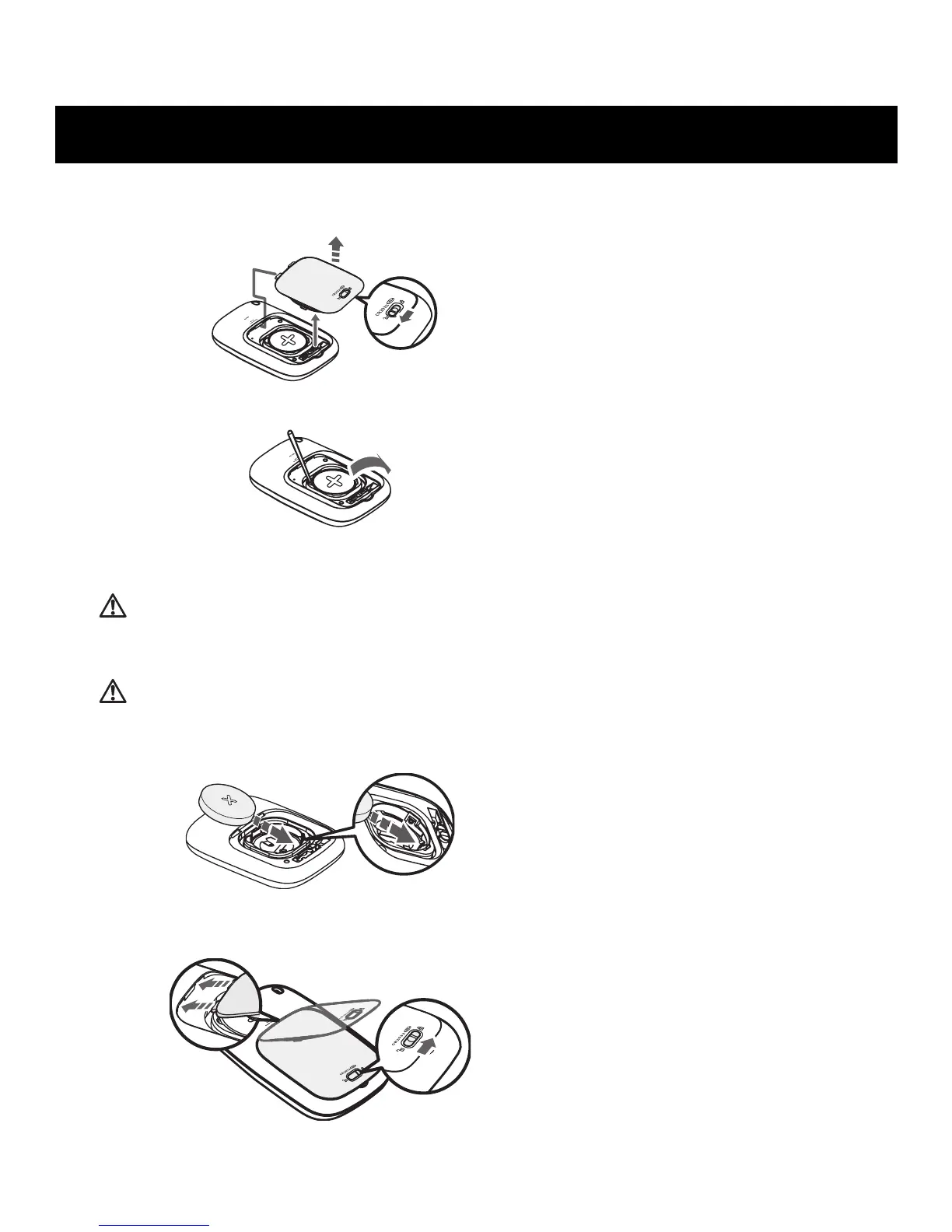
1. To unlock the battery cover move the lock to the left. Then pull the cover off by
pulling it away from the unit.
2. Remove the battery with a toothpick.
NOTE:
Do not use any type of metal object to remove the battery.
CAUTION
Dispose of the device, battery, and components according to applicable local regulations.
Unlawful disposal may cause environmental pollution.
CAUTION
Do not throw the battery into fire. The battery may explode.
3. Insert the battery (CR2032) with the positive (+) side face up.
4. Replace the battery cover by sliding the catch in first, then press down on the
battery cover firmly so it is closes. Once this is complete, slide the lock to the right.
BATTERY REPLACEMENT


 To Next Page
 Loading...