14
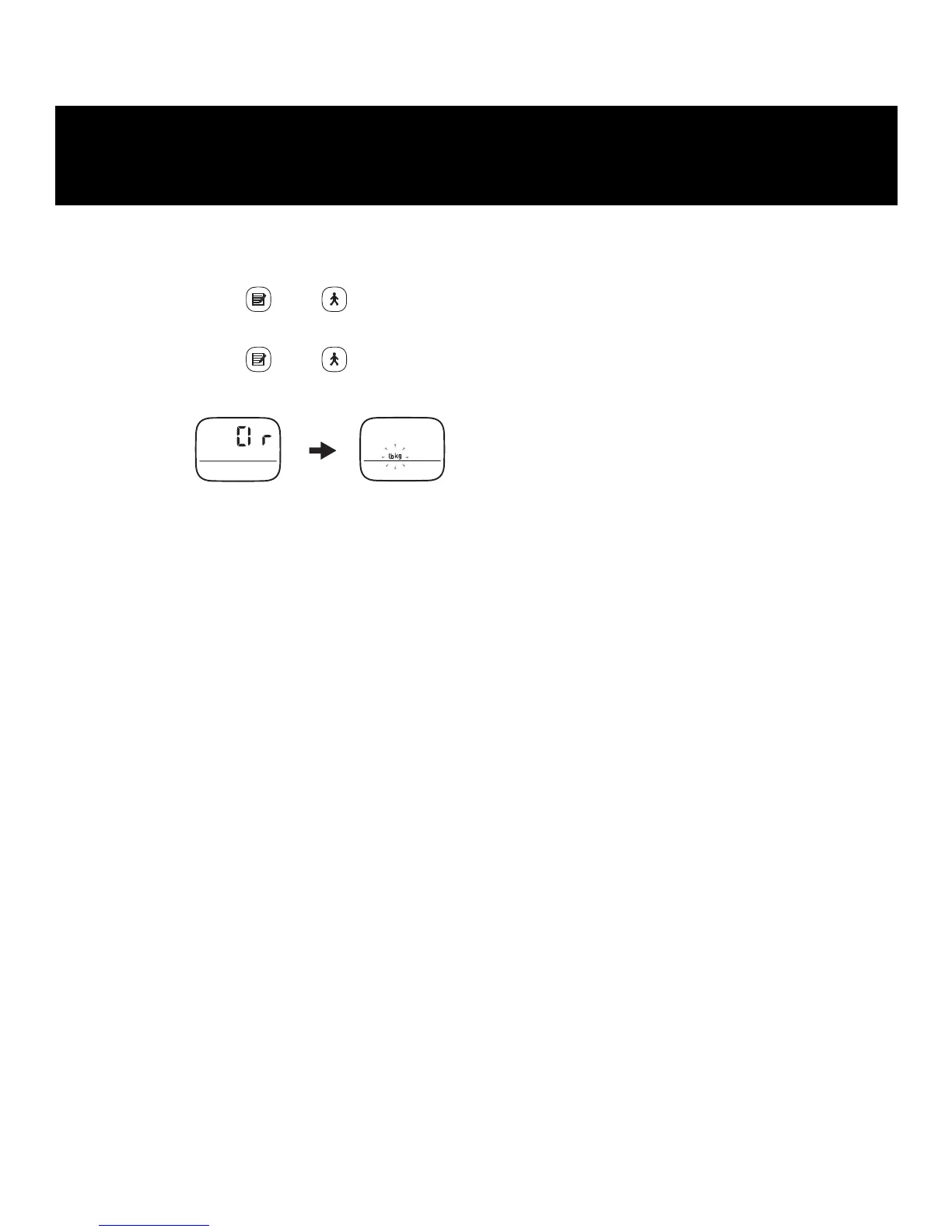
Follow the procedure below to delete all the previous measurement results and settings,
including the time, weight, height, and stride length.
1. Press and hold and at the same time.
“lb” or “kg” flashes on the display.
2. Press and hold and at the same time again.
After “Clr” has been displayed, “lb” and “kg” flash on the display.
The measurement results stored in memory and the settings for the time, weight, height
and stride length are deleted. To continue using the unit, reset time, weight, height, and
stride length (refer to “SETTINGS”).
DELETING ALL RESULTS AND
SETTINGS


 To Next Page
 Loading...