10 Operation
10 - 16
G5-series Linear Motors/Servo Drives With Built-in EtherCAT Communications
Follow the steps below up to the end of this section to complete Linear Motor Setup.
If you are using the product in a default state, if you have interrupted the procedure before completion
by clicking the [Cancel] or [Stop] button, or if you have failed to step through to the end of the procedure
due to a computer failure etc., restart the following procedure from step 1.
1
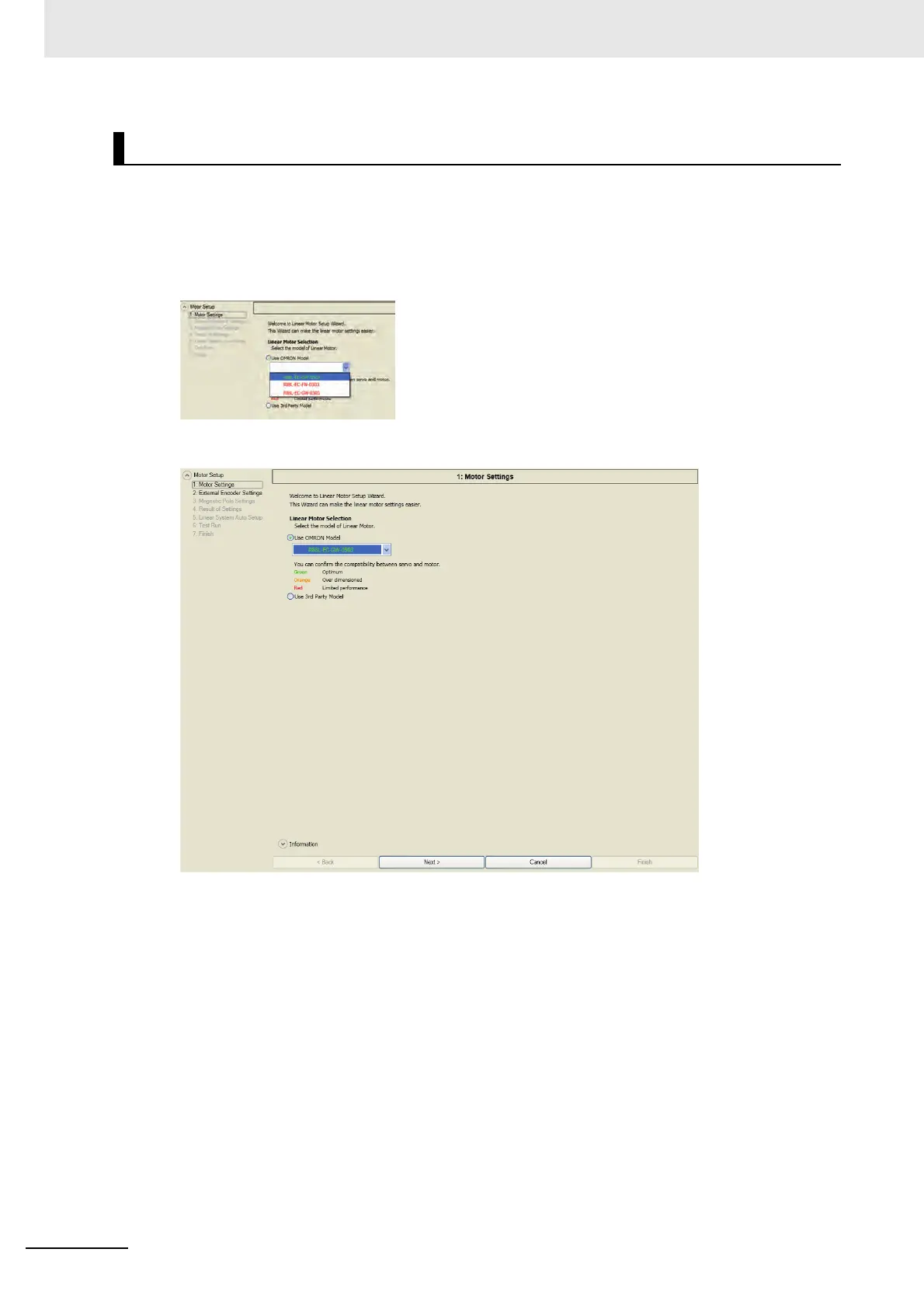
Select [Use OMRON Model] in [Linear Motor Selection].
2
Select the model of the Linear Motor to connect.
Linear Motor Setup Operation Procedure


 To Next Page
 Loading...