10 Operation
10 - 26
G5-series Linear Motors/Servo Drives With Built-in EtherCAT Communications
1
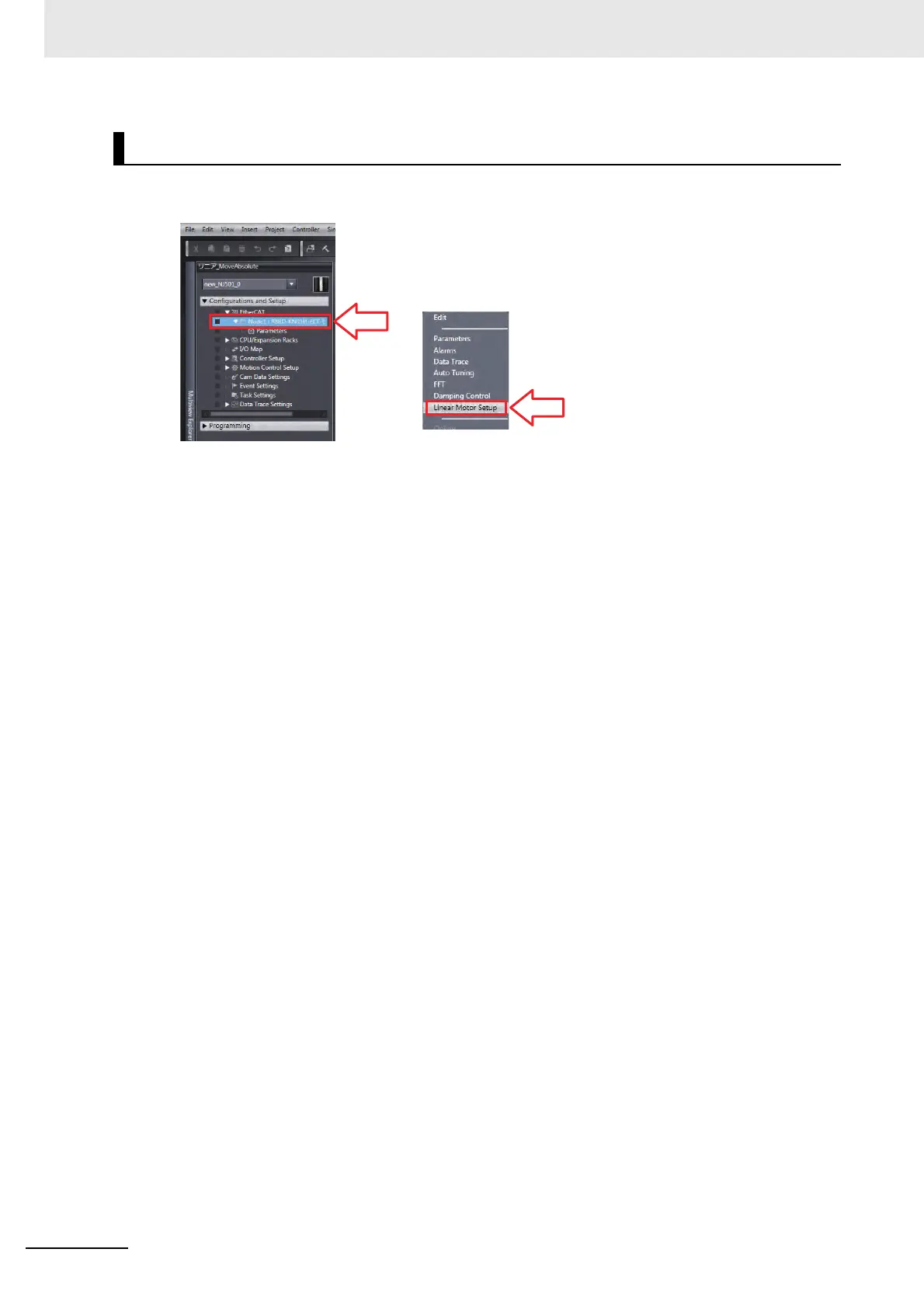
In Sysmac Studio, right-click the setup target Servo Drive from the EtherCAT menu and
select [Linear Motor Setup].
2
Read the precautions and click [OK] button.
The Linear Motor Setup screen opens.
For the following steps, you will work with screens similar to those provided in the CX-Drive. Refer to
10-3-2 Operation from the CX-Drive on page 10-14.
Starting the Linear Motor Setup


 To Next Page
 Loading...