EasyManua.ls Logo

Omron SEM-2 - User Manual

Omron SEM-2
31 pages
Print Icon
To Next Page IconTo Next Page
Loading...
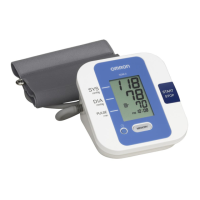
Automatic Blood Pressure Monitor
 !"
Model
SEM-2
INSTRUCTION MANUAL
===
S
E
M
-
2
En_TC-Cover[SEM-2]-2 8/4/05, 4:13 PMPage 1 Adobe PageMaker 6.5C/PPC

Questions and Answers

  • R
    rlozanoJul 31, 2025
    Why is my Omron SEM-2 Blood Pressure Monitor reading so low or high?
    • K
      kathryn17Jul 31, 2025
      An extremely low or high reading on your Omron Blood Pressure Monitor can occur due to several reasons: * The arm cuff may not be applied correctly. * You might be moving or talking during the measurement. * Clothing could be interfering with the arm cuff. Make sure to remove any clothing that is in the way.
  • D
    Danielle RosalesAug 5, 2025
    Why does my Omron SEM-2 Blood Pressure Monitor lose power or reset the date and time?
    • S
      Sherri LambertAug 5, 2025
      If your Omron Blood Pressure Monitor loses power during measurement or the date and time are reset, the batteries are likely worn or have been removed for a long time. Replace all four “AA” batteries with new ones.
  • B
    Brittany TranAug 10, 2025
    Why does my Omron SEM-2 arm cuff pressure not rise?
    • J
      James TaylorAug 10, 2025
      If the arm cuff pressure does not rise on your Omron Blood Pressure Monitor, it could be because: * The air plug is not securely inserted into the main unit. Make sure that the air plug is connected securely. * Air is leaking from the arm cuff. In this case, you should replace the arm cuff with a new one.
  • M
    Melissa WongAug 15, 2025
    Why does the arm cuff on my Omron SEM-2 Blood Pressure Monitor deflate too soon?
    • J
      jonesjeffAug 15, 2025
      The arm cuff on your Omron Blood Pressure Monitor might deflate too soon if the arm cuff is loose. To resolve this, apply the cuff correctly so that it is firmly wrapped around your arm.
  • A
    Adrienne JenkinsAug 20, 2025
    What to do if nothing happens when I press the buttons on my Omron SEM-2?
    • K
      kenneth39Aug 20, 2025
      If nothing happens when you press the buttons on your Omron Blood Pressure Monitor, it could be due to the following reasons: 1. The batteries are empty. Replace all four “AA” batteries with new ones. 2. The batteries have been inserted with their polarities incorrectly aligned. Check the battery installation for proper placement of the battery polarities.
  • J
    Jennifer BrownAug 25, 2025
    What to do if I have other problems with my Omron SEM-2 Blood Pressure Monitor?
    • T
      Timothy MillerAug 26, 2025
      Press the START/STOP button and repeat measurement. If the problem continues, try replacing the batteries with new ones.

Summary

Important Safety Precautions

General Safety Guidelines

Covers essential safety measures for using the blood pressure monitor, including self-diagnosis warnings and device usage restrictions.

Battery and Physical Handling Safety

Details safety procedures for battery handling, cuff and tube care, and protecting the unit from physical damage.

Understanding the Unit Display

Using Your Blood Pressure Monitor

Battery Installation and Management

Setting the Date and Time

Correct Posture for Measurement

Applying the Arm Cuff Correctly

Preparing and Inserting the Arm Cuff

Instructions on how to insert the air plug and place the arm cuff onto the arm for measurement.

Positioning and Securing the Cuff

Details on correct cuff positioning relative to the elbow and securing the cuff firmly for accurate readings.

Taking a Blood Pressure Measurement

Initiating and Performing the Measurement

Steps to start the measurement, maintain correct posture, and what to do during the process.

Special Condition Measurement Procedures

Maintenance and Storage Guidelines

Understanding Error Indicators

Common Error Symbols and Their Causes

Explains common error symbols like 'E' and 'EE', their causes, and recommended corrective actions.

Battery and Device Error Symbols

Interprets battery-related error symbols and general device error codes, providing troubleshooting steps.

Troubleshooting Common Problems

Resolving Measurement Reading Issues

Addresses problems like low/high readings and pressure not rising, with corresponding causes and remedies.

Omron SEM-2 Specifications

General IconGeneral
Product NameOmron SEM-2
CategoryBlood Pressure Monitor
Measurement MethodOscillometric
Cuff Size22-32 cm
Pressure Range0-299 mmHg
TypeUpper Arm
Pulse Rate Range40-180 beats per minute

Related product manuals